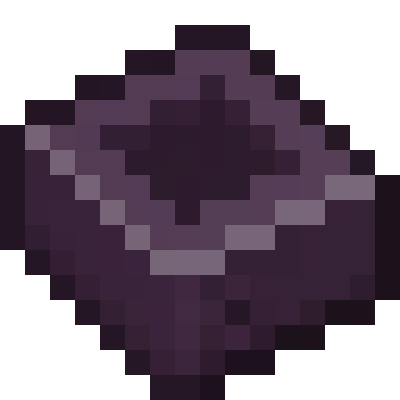
AE2 Things Mod Guide: DISKs, Advanced Inscriber & Unlimited Storage Types
AE2 Things is an addon for Applied Energistics 2 that solves two of the most common frustrations with AE2 storage: type limits on cells and the tedious Inscriber. It introduces DISK cells that store items with no type limit whatsoever, and an Advanced Inscriber that handles full stacks with no sided restrictions.
Overview
AE2 Things is a focused addon for Applied Energistics 2 that addresses two pain points every AE2 player eventually hits: the type limit on standard storage cells and the one-item-at-a-time bottleneck of the Inscriber. The mod introduces DISK cells (Deep Item Storage disK) that trade the type limit system for a simpler one-byte-per-item model, and an Advanced Inscriber that processes full stacks without sided automation headaches.
The mod adds 7 items total: a Disk Housing crafting component, five tiers of DISK storage cells (1k through 256k), and the Advanced Inscriber block. You can browse every item and recipe using the tabs at the top of this page. Because this is an AE2 addon, you'll need a working ME Network before any of these items become useful.
Prerequisites
AE2 Things requires Applied Energistics 2 as a dependency. You'll need a functioning ME Network with an ME Controller, power, and at least an ME Drive before DISK cells become useful. For the Advanced Inscriber, you should already have access to standard AE2 Inscriber Presses and be familiar with the Inscriber's role in crafting Processors.
Both DISK cells and the Advanced Inscriber require materials from mid-to-late game progression. The DISK Housing recipe calls for Netherite Ingots, so you'll need to have visited the Nether and obtained Ancient Debris before you can craft any DISK cells. You'll also need Amethyst Shards and standard AE2 components like Quartz Glass and Certus Quartz Dust.
Getting Started
- 1
Set Up Your ME Network
Before you can use anything from AE2 Things, you need a working Applied Energistics 2 setup. At minimum, you'll need an ME Controller, an Energy Acceptor, an ME Drive, and cables connecting everything. If you're already running an AE2 network, you're ready to go.
- 2
Gather Netherite and Amethyst
DISK cells require Netherite Ingots and Amethyst Shards in their crafting recipes. Mine Ancient Debris in the Nether at Y-levels 8 to 22, smelt it into Netherite Scrap, then combine 4 Netherite Scrap with 4 Gold Ingots for a Netherite Ingot. Each Disk Housing needs 2 Netherite Ingots, so plan accordingly.
- 3
Craft a Disk Housing
The Disk Housing is the base component for all DISK cells, similar to how a Storage Housing works for standard AE2 cells. It requires 2 Quartz Glass, 3 Redstone, 2 Netherite Ingots, and 1 Amethyst Shard. Craft it at a regular Crafting Table.
- 4
Combine Housing with a Cell Component
Take your Disk Housing and combine it with any standard AE2 Cell Component (1k, 4k, 16k, 64k, or 256k) in a shapeless recipe. This creates the corresponding DISK Drive. You can also craft it in a shaped recipe that builds the housing and cell in one step. Pop the finished DISK into an ME Drive and you're storing items without any type limit.
- 5
Upgrade Your Inscriber (Optional)
If you're tired of feeding your AE2 Inscriber one item at a time, craft an Advanced Inscriber using a standard Inscriber, 2 Engineering Processors, 4 Iron Ingots, and 2 Hoppers. Place it on your network and enjoy full stack sizes in every slot, with automatic output directly into your ME system.
DISK Storage Cells
The DISK (Deep Item Storage disK) is the main feature of AE2 Things. Standard AE2 storage cells have a type limit: each unique item type consumes a chunk of bytes, meaning a 1k cell can only hold a handful of different item types even if it has storage space left. DISKs completely eliminate this restriction. Every single item stored in a DISK counts as exactly one byte, with no per-type overhead. You can store hundreds of different item types in a single cell, as long as you have the raw byte capacity.
There is a small trade-off: you lose 24 bytes per kibibyte due to limitations in the cell format. For example, a 1k DISK has 1,000 bytes of total capacity rather than 1,024. In practice this is negligible, and the freedom from type limits more than compensates. DISKs slot into standard ME Drives just like any other AE2 storage cell.
How DISK Storage Works
Under the hood, DISKs use a UUID-based storage system that saves data to the world file rather than to the item's NBT tag. When you first insert an item into an empty DISK, it gets assigned a unique UUID and the storage manager creates a disk record in the world save. This means the DISK item itself stays lightweight regardless of how many items are stored in it.
Each DISK supports 2 upgrade slots. You can install a Fuzzy Card for fuzzy matching or an Inverter Card to switch the partition list from whitelist to blacklist mode. The partition (filter) system works exactly like standard AE2 cells, so you can configure DISKs to accept only certain items.
You can break a DISK cell back into its components by Shift+Right-clicking with it in your hand. The cell must be completely empty first. This returns the Disk Housing, the Cell Component, and any installed upgrades, letting you recycle materials when upgrading to a higher tier.
DISK Tier Comparison
| 1k DISK | 4k DISK | 16k DISK | 64k DISK | 256k DISK | |
|---|---|---|---|---|---|
| Total Capacity | 1,000 bytes | 4,000 bytes | 16,000 bytes | 64,000 bytes | 256,000 bytes |
| Items Stored | 1,000 items | 4,000 items | 16,000 items | 64,000 items | 256,000 items |
| Type Limit | None | None | None | None | None |
| Idle Drain | 0.5 AE/t | 1.0 AE/t | 1.5 AE/t | 2.0 AE/t | 2.5 AE/t |
| Upgrade Slots | 2 | 2 | 2 | 2 | 2 |
| Cell Component | 1k | 4k | 16k | 64k | 256k |
When to Use DISKs vs Standard Cells
Standard AE2 cells are more byte-efficient when you're storing large quantities of a few item types, because they pack items tightly within each type allocation. DISKs shine when you have many different item types in relatively small quantities, which is the common scenario in heavily modded packs where you might have hundreds of different materials, components, and intermediate crafting items. A single 64k DISK can hold 64,000 individual items across any number of types, while a standard 64k cell would hit its 63-type limit long before running out of byte capacity in a diverse inventory.
The Netherite cost makes DISKs a mid-to-late game investment. In early game when you only have a handful of item types, standard cells work perfectly fine. As your storage grows and you start running into "cell is full" warnings despite having byte space remaining, that's when DISKs become worth the Netherite.
Crafting the DISK Cells
Every DISK cell starts with a Disk Housing. The Housing recipe uses Quartz Glass, Redstone, Netherite Ingots, and an Amethyst Shard. Once you have the Housing, you can combine it with any AE2 Cell Component in a simple shapeless recipe to create the matching DISK tier. Alternatively, there's a shaped recipe that builds the complete DISK in one crafting operation without pre-crafting the Housing separately.
Disk Housing


DISK Cells (Shapeless)

Each DISK tier has both a shapeless recipe (Housing + Cell Component) and a shaped recipe (all materials in one grid). The shapeless recipe is more convenient if you've already crafted a Disk Housing. The shaped recipe saves a step when crafting from scratch. Check the Recipes tab for the full shaped versions.
Advanced Inscriber
The standard AE2 Inscriber is one of the most tedious machines in the mod. Each slot only accepts a single item at a time, and automation requires careful sided insertion with specific face assignments for top, bottom, and side inputs. The Advanced Inscriber from AE2 Things fixes both of these problems.
Every slot in the Advanced Inscriber accepts up to 64 items per stack. The top plate slot, bottom plate slot, and center input slot all handle full stacks, so you can load up a batch of materials and let it run through the entire stack without babysitting. The output slot also holds a full stack, and once it fills up, completed items are automatically pushed directly into your connected ME Network.
Speed and Power
The Advanced Inscriber has a base processing time of 100 ticks (5 seconds) per operation. It supports up to 5 Speed Cards, and each Speed Card multiplies the processing speed factor by an additional 3x increment. With no Speed Cards, the speed factor is 1x. With 1 Speed Card it jumps to 4x, with 2 it reaches 7x, and at maximum 5 Speed Cards the factor hits 16x, processing items in under a third of a second.
Power consumption scales linearly with speed: the base draw is 20 AE/t, multiplied by the speed factor. At maximum speed with 5 Speed Cards, the Advanced Inscriber consumes 320 AE/t. It has an internal power buffer of 1,600 AE, so it can sustain short bursts even if your network power fluctuates. If insufficient power is available from the internal buffer, the machine will attempt to draw directly from the ME Network's energy service.
The Advanced Inscriber was removed in the 1.20 version of AE2 Things because AE2 itself reworked the Inscriber to address many of the same usability issues. If you're playing on 1.20 or later, the Advanced Inscriber will not be available. On 1.19.2, it works as described here.
Advanced Inscriber Stats
| Base Processing Time | 100 ticks (5 seconds) |
| Speed Card Slots | 5 |
| Max Speed Factor | 16x (5 Speed Cards) |
| Base Power Draw | 20 AE/t |
| Max Power Draw | 320 AE/t (5 Speed Cards) |
| Internal Buffer | 1,600 AE |
| Stack Size per Slot | 64 |
| Auto-Output | Yes (to ME Network) |
Advanced Inscriber Recipe


Automation Without Side Restrictions
One of the biggest quality-of-life improvements is that the Advanced Inscriber has no sided automation restrictions. With the standard AE2 Inscriber, you need to pipe items into specific faces: top for the top press, bottom for the bottom press, and a side for the center input. The Advanced Inscriber accepts any valid item from any face. Its internal filter logic automatically routes items to the correct slot based on the current recipe context, checking whether a given item matches a top plate, bottom plate, or center input for any valid Inscriber recipe.
This means you can pipe in all your materials from a single Hopper, Import Bus, or item conduit, and the machine will sort them into the right slots. The only restriction is that you can only extract from the output slot (slot 1), which prevents accidentally pulling out your press plates.
Frequently Asked Questions
Do DISKs work in standard ME Drives?
Yes. DISK cells are fully compatible with standard AE2 ME Drives. They slot in just like any other storage cell, display color-coded status indicators, and work with all normal ME Network features including crafting, terminals, and storage buses.
Can I use partition filters on DISK cells?
Yes. DISKs support the same partition (cell filter) system as standard AE2 cells. You can configure them through the cell workbench or by placing the DISK in an ME Drive and accessing it through a terminal. They also support the Inverter Card (to switch the filter to a blacklist) and the Fuzzy Card (for fuzzy matching), with 2 available upgrade slots.
Why do DISKs require Netherite?
The Netherite requirement is a deliberate balance decision. Since DISKs remove the type limit, which is a significant advantage over standard cells, they're intentionally more expensive to craft. Each Disk Housing requires 2 Netherite Ingots, making them a mid-to-late game upgrade rather than an early replacement for standard cells.
Can I store other storage cells inside a DISK?
You can store empty DISK cells inside another DISK cell, but non-empty DISKs cannot be placed inside each other. This prevents recursive storage exploits. The cell checks whether a DISK being inserted is empty before accepting it.
How many Speed Cards should I put in the Advanced Inscriber?
It depends on your power budget. Each Speed Card adds a 3x multiplier to the speed factor but also increases power consumption proportionally. With 5 Speed Cards, the machine draws 320 AE/t, which is significant for smaller networks. For most setups, 2 to 3 Speed Cards (7x to 10x speed) provides a good balance between speed and power draw.
What happened to the Crystal Growth Chamber?
The Crystal Growth Chamber was removed in the 1.19 update because AE2 itself reworked its crystal growth mechanics. Similarly, the Advanced Inscriber was removed in 1.20 after AE2 overhauled the Inscriber. On 1.19.2, you'll have access to the DISK cells and the Advanced Inscriber, but not the Crystal Growth Chamber.