Immersive Melodies Mod Guide: Instruments, Custom Songs & Mob Musicians
Immersive Melodies adds 11 craftable instruments to Minecraft, letting you play custom melodies from MIDI and ABC files with full multiplayer support. Mobs can spawn holding instruments and play random songs, Parrots and Allays dance to your music, and you can even connect a real MIDI keyboard for live performances.
Overview
Immersive Melodies adds 11 playable instruments to Minecraft, each with unique animations, sound profiles, and crafting recipes. The mod comes bundled with 25 songs, but the real appeal is importing your own music. You can drag and drop MIDI or ABC files directly into the in-game GUI, and your melodies sync across multiplayer servers for everyone to hear.
Beyond player performances, the mod also gives instruments to hostile mobs. Zombies, Skeletons, Pillagers, Piglins, and other creatures have a chance to spawn holding instruments and playing random songs. When music plays nearby, Parrots will dance and Allays will start bobbing along too. You can browse all the mod's items and recipes using the tabs on this page.
Getting Started
- 1
Gather Basic Materials
All instrument recipes unlock in the vanilla Recipe Book once you pick up a Copper Ingot. The most common crafting materials are Sticks, Planks, Logs, String, Leather, Copper Ingots, Iron Ingots, and Bones. Gather a variety of these before heading to the Crafting Table.
- 2
Craft Your First Instrument
The
 Flute is the cheapest instrument to craft, requiring only 1 Bone and 2 Sticks. If you have String and Planks available, the
  Lute is another easy early option. Each instrument is unstackable, so you only need to craft one of each.
 - 3
Select a Melody
Hold an instrument and right-click to open the melody selector. This paper-styled GUI shows all available songs sorted by category. Click any melody to start playing it. The song will loop automatically until you pause it. You can search for songs using the text box at the top of the selector.
- 4
Import Custom Songs
With the melody selector open, drag and drop a .mid, .midi, or .abc file from your computer directly onto the game window. The mod parses the file and uploads it to the server. Your custom melody appears in the list under your player name and is available to all players on the server.
- 5
Control Playback
The bottom of the melody selector has playback controls: play, pause, close, track selection, keyboard mode, delete (for your own uploads), and a help button linking to the wiki. Use the track toggle button to enable or disable individual tracks in multi-track songs, letting you create ensemble performances with friends.
You can find millions of free MIDI files online for virtually any song. ABC notation files (commonly used in Lord of the Rings Online music) are also supported and automatically converted.
The Instruments
Each of the 11 instruments has a distinct sound created from multiple octave samples (8 octaves per instrument), a unique playing animation, and a specific sustain value that affects how long notes ring out. The sustain value determines the instrument's character: short sustain instruments like the Flute and  Trumpet produce crisp, punchy notes, while longer sustain instruments like the
  Piano and
  Tiny Drum create more resonant, lingering tones.
String Instruments
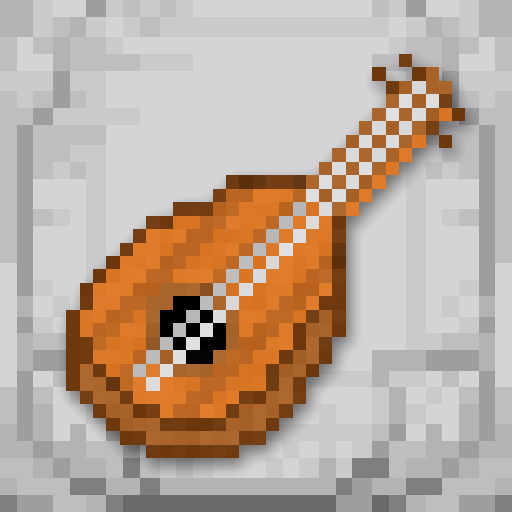
The Lute is a versatile starting instrument crafted from a Stick, Planks, and String. With 300ms sustain, it handles most melodies well and is the mod's icon item. The  Vielle is a bowed string instrument with 200ms sustain, crafted from a Stick, Logs, and String. It produces a smoother, more sustained tone suitable for slower pieces. The
  Ender Bass requires 2 Note Blocks and an Ender Pearl, giving it a supernatural feel with a short 100ms sustain that produces deep, punchy bass notes.
Wind Instruments
The Flute is the cheapest instrument in the mod, needing just 1 Bone and 2 Sticks. Its 100ms sustain creates quick, airy notes. The Trumpet requires Iron Ingots and Copper Ingots and also has 100ms sustain, producing bright brass sounds. The  Didgeridoo is crafted from Planks and Lapis Lazuli with 400ms sustain, the longest among wind instruments, creating deep droning tones. The
  Bagpipe is the most expensive instrument, requiring 3 Flutes and 5 Leather. It has 300ms sustain and produces a distinctive drone sound.
Percussion & Keyboard
The Piano is crafted from Bones and Note Blocks with a long 500ms sustain, making it the best choice for classical pieces. The Tiny Drum uses Leather, String, and Logs with 500ms sustain, ideal for rhythmic tracks. The  Triangle is crafted entirely from Copper Ingots (6 total) with 300ms sustain, producing a simple metallic ring. The
  Handpan requires Copper Ingots and Copper Blocks (the most copper-intensive recipe) with 300ms sustain, creating warm melodic percussion tones.
Simple Instruments


Advanced Instruments


Instrument Comparison
| Flute | Lute | Trumpet | Piano | Didgeridoo | Handpan | |
|---|---|---|---|---|---|---|
| Sustain | 100ms | 300ms | 100ms | 500ms | 400ms | 300ms |
| Key Materials | Bone, Sticks | Planks, String | Iron, Copper | Bones, Note Blocks | Planks, Lapis | Copper Ingots/Blocks |
| Cost | Very Low | Low | Medium | Medium | Low | High |
| Sound Type | Airy, quick | Versatile string | Bright brass | Rich, classical | Deep drone | Warm percussion |
Playing Melodies
To play a melody, hold any instrument in your hand and right-click. This opens the melody selector GUI, a paper-textured interface listing all available songs. The list is searchable and includes both bundled melodies and any custom uploads from players on the server. Click a melody name to start playing it immediately.
While a melody is playing, your character performs an animated playing motion unique to each instrument. The Lute gets a strumming animation, the Trumpet is held up to the face, the Tiny Drum gets a two-handed drumming motion, and so on. Music Note particles emit from your character's position while playing, and other players can hear your performance from up to 48 blocks away (configurable).
Track Selection
Many MIDI files contain multiple tracks (e.g., melody, bass, drums, harmony). The melody selector has a track toggle button that opens a side panel listing all tracks in the selected song. You can enable or disable individual tracks, which is perfect for multiplayer band setups. Have one player handle the melody track on Flute, another play bass on Ender Bass, and a third keep rhythm on Tiny Drum, all from the same MIDI file.
Free-Play Keyboard Mode
The melody selector includes a keyboard button that opens the free-play screen. In this mode, you can play individual notes using your computer keyboard. The default key mapping uses the home row (A through K) for a C major scale starting at middle C (C4), with the row above (Q, W, etc.) providing sharps and flats. These key mappings are fully configurable in the mod's config file. The mod also supports physical MIDI keyboard input, automatically detecting any connected MIDI device and routing Note On/Off messages to your held instrument.
All melodies and playback state sync across multiplayer. When you upload a custom MIDI file, it is stored server-side and available to all connected players. Free-play keyboard notes are also broadcast to nearby players in real time.
Custom Melodies & Datapacks
There are three ways to add custom melodies. The simplest is drag-and-drop: open the melody selector GUI and drag a .mid, .midi, or .abc file from your desktop onto the game window. The mod parses the file, uploads it to the server, and stores it under your player name. You can delete your own uploaded melodies using the delete button in the selector.
For server-wide melody packs, you can use datapacks. Place MIDI files in a datapack at the path data/[namespace]/melodies/[song].mid and they will be loaded automatically when the server starts or when resources are reloaded. Datapack melodies appear in the selector for all players and cannot be deleted through the GUI.
The mod also ships with built-in melodies that load from its own resources. You can disable these by setting loadInbuiltMidis to false in the config, leaving only datapack and player-uploaded melodies available.
The uploadPermissionLevel config option controls who can upload melodies. By default it is 0 (all players can upload). Server operators can set this to 1-4 to restrict uploads to players with the corresponding operator permission level.
Mob Musicians
One of the mod's most entertaining features is that certain mobs can spawn holding instruments and playing random melodies. By default, Zombies, Husks, Skeletons, Wither Skeletons, Piglin Brutes, Piglins, Zombified Piglins, and Pillagers all have a 1% chance to spawn with a random instrument. The mob picks a random melody from the available pool and begins playing it automatically.
When a mob musician is killed, it has an 8.5% chance (configurable via mobInstrumentDropFactor) to drop its instrument. Pillagers have special behavior: they can pick up instruments from the ground like they pick up Crossbows. The forceMobsToPickUp config option (enabled by default) makes configured mobs actively pick up instruments dropped on the ground.
Dancing Mobs
Parrots and Allays react to instrument music just like they react to Jukeboxes. If a melody is playing within 5 blocks of a Parrot, it starts dancing. Allays within the same range begin their dancing animation too. This makes building concert venues with pet Parrots as an audience surprisingly delightful.
Configuration
The config file is located at config/immersive_melodies.json and uses a simple JSON format. All changes take effect after restarting the game.
Key Config Options
| maxAudibleDistance | 48 blocks (how far away instruments can be heard) |
| instrumentVolumeFactor | 1.0 (global volume multiplier for all instruments) |
| perceivedLoudnessAdjustmentFactor | 0.5 (balances volume across octaves so high/low notes are equally audible) |
| getBufferDelay | 75ms (audio buffer delay for note timing accuracy) |
| mobInstrumentDropFactor | 0.085 (8.5% chance for mobs to drop their instrument) |
| stopGameMusicForPlayers | true (pauses background music when a player plays an instrument) |
| stopGameMusicForMobs | false (whether mob musicians also pause background music) |
| showOtherPlayersMelodies | true (see other players' uploaded melodies in the selector) |
| uploadPermissionLevel | 0 (operator level required to upload custom melodies, 0 = everyone) |
| loadInbuiltMidis | true (load the 25 bundled melodies) |
MIDI Keyboard Support
Immersive Melodies has built-in support for physical MIDI keyboards and controllers. The mod runs a background thread that scans for MIDI devices every 5 seconds and automatically connects to any transmitter it finds. Once connected, Note On messages (velocity > 0) play the corresponding note on your held instrument, and Note Off messages stop the note. This means you can plug in a MIDI keyboard and perform live in-game without any additional setup.
The scancodeToMidi config map lets you customize the computer keyboard mappings for the free-play screen. The default layout maps the home row keys to a C major scale (C4 through C5) with sharps on the row above, similar to a piano keyboard layout.
Remaining Instruments


Frequently Asked Questions
What file formats are supported for custom melodies?
The mod supports MIDI files (.mid, .midi) and ABC notation files (.abc). ABC files are automatically converted to MIDI format before being uploaded to the server. You can find millions of free MIDI files online for almost any song.
Do instruments work in multiplayer?
Yes, full multiplayer support is a core feature. All players nearby can hear your instrument, custom uploaded melodies are shared server-wide, and free-play keyboard notes broadcast to other players in real time. You can form bands by having different players toggle different tracks of the same MIDI file.
Why can't I hear an instrument playing?
Instruments have a maximum audible distance of 48 blocks by default. Make sure you are within range of the player or mob performing. Also check that your in-game music and sound settings are turned up, particularly the Neutral sound category which instruments use.
Can I stop mobs from spawning with instruments?
Yes. Edit the mobInstrumentFactors map in config/immersive_melodies.json. Set any mob type's value to 0.0 to prevent it from spawning with instruments, or remove the entry entirely. You can also add new mob types to the map if you want other creatures to become musicians.
How do I delete a melody I uploaded?
Open the melody selector, click on your uploaded melody to select it, and a delete button (trash icon) will appear in the bottom control bar. You can only delete melodies you uploaded yourself. Datapack melodies and bundled melodies cannot be deleted through the GUI.
Does playing an instrument stop the background music?
By default, yes. When a player plays an instrument, Minecraft's ambient background music is paused so it does not clash with your performance. This is controlled by the stopGameMusicForPlayers config option. There is a separate stopGameMusicForMobs option (disabled by default) if you also want mob musicians to pause background music.