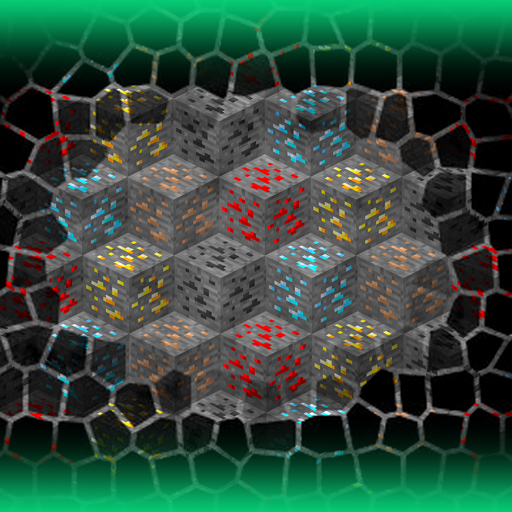
Large Ore Deposits Mod Guide: Finding Supermassive Ore Veins Underground
Large Ore Deposits adds extremely rare but massive ore veins to your Minecraft world, containing hundreds to thousands of ore blocks. Finding one feels like striking the Holy Grail of mining. The mod covers 29 ore types across three tiers and gives you full control through config files and in-game commands.
Overview
Large Ore Deposits (internally known as "adlods") transforms the mining experience by scattering supermassive ore veins throughout your world. These aren't your typical 8-block Iron veins. A single deposit can contain anywhere from 300 to 1,800 ore blocks depending on the type, making each discovery a game-changing event. The tradeoff is rarity: you might explore thousands of chunks before stumbling across one.
The mod ships with 29 preconfigured ore deposits organized into three tiers: common metals like Iron and Copper near the surface, precious metals like Gold and Platinum deeper underground, and gems like Diamond and Emerald at the lowest depths. Every deposit is fully configurable through simple config files, and you can add support for any modded ore without writing a single line of code. The mod also lets you control vanilla ore generation, disabling or restricting default ores by biome. You can browse all items the mod interacts with using the tabs on this page.
Large Ore Deposits requires the ForgeEndertech library mod to function. Make sure you have it installed before launching. The companion mod Advanced Finders is also recommended, as it provides tools to help locate deposits underground.
Getting Started
- 1
Install and Generate a New World
After installing Large Ore Deposits and ForgeEndertech, create a new world or load an existing one. Deposits only generate in newly created chunks, so already-explored areas won't contain them. Head to unexplored territory for your best chances.
- 2
Look for Surface Indicators
When a deposit generates successfully (at or above its minimum size), the mod places a surface indicator block directly above it. By default, these are composite circles of Glowroses, Mystical Flowers, or vanilla Flowers. If you spot an unusual flower formation on the surface, there's a massive ore body hiding below.
- 3
Mine Down to the Right Altitude
Each ore type generates within a specific altitude range. Common metals like Iron spawn between Y16 and Y64, precious metals like Gold between Y8 and Y32, and gems like Diamond between Y4 and Y16. Coal is the shallowest at Y32 to Y80. Dig to the appropriate depth for the ore you're hunting.
- 4
Use Commands to Test and Explore
If you have operator permissions, use /lods list deposits to see all active deposit types. You can force-spawn a deposit with /lods gen <deposit> to see what they look like, or use /lods strip chunk to remove all non-ore blocks and reveal hidden veins. Use /lods dress chunk to restore the blocks afterward.
- 5
Customize Your Config
Navigate to your .minecraft/config/adlods/Deposits folder to find individual config files for each ore deposit. Each file lets you adjust size, rarity, altitude, allowed biomes, allowed dimensions, which blocks can be replaced, and the surface indicator. Use /lods reload after making changes.
How Deposits Generate
Each time a chunk generates, the mod rolls a chance for each active deposit based on its rarity value. Rarity is measured in chunks: a rarity of 1,000 means approximately 1 deposit per 1,000 chunks, or a 0.1% chance per chunk. If the roll succeeds, the mod picks a random position within the chunk at the deposit's altitude range and begins growing the vein.
The deposit generation uses a "vein" algorithm by default: starting from the chosen position, it expands outward in all six directions, preferring to grow back toward the center. It replaces only blocks in the deposit's replaceable blocks list (Stone by default for Overworld deposits). The vein continues growing until it reaches the randomly chosen size within the deposit's min/max range, or until it runs out of valid blocks to replace. A second "vanilla" pattern is also available, which uses Minecraft's standard elongated ellipsoid ore shape but scaled up massively.
Deposits can also be configured as mixed veins containing multiple ore types in specified proportions. For example, you could create a deposit that's 5 parts Iron and 1 part Gold, producing a mixed vein where roughly 83% of the blocks are Iron Ore and 17% are Gold Ore.
The indicator block is placed on the surface directly above the deposit's starting position when the deposit meets its minimum size threshold. The mod searches in a radius of 4 blocks around the deposit center to find a valid surface position. You can configure the indicator per deposit to use any block, or even a structure name to make deposits generate under specific structures.
Default Deposit Tiers
The mod organizes its 29 preconfigured deposits into three distinct tiers based on real-world geological value. Each tier has its own size range, altitude band, and base rarity. Within each tier, individual ores have a price factor that scales their rarity relative to the tier's baseline: higher price factors mean rarer deposits.
Tier 1: Common Metals
These are the largest and most frequently encountered deposits. They generate between Y16 and Y64 with sizes ranging from 700 to 1,400 blocks. A base rarity range of 1,000 to 3,000 chunks is scaled by each ore's price factor. Iron deposits are the most common (factor 1.0), followed by Aluminum (6.6), Lead (7.0), Zinc (10.3), Copper (22.6), Nickel (44.6), Tin (74.8), and Cobalt (104.7) as the rarest common metal.
Tier 2: Precious Metals
These deposits are smaller (500 to 1,000 blocks) and generate deeper, between Y8 and Y32. Their base rarity range is 1,200 to 3,600 chunks. Silver is the most common precious metal (factor 1.0), followed by Ruthenium (17.45), Platinum (58.89), Gold (85.67), Palladium (90.97), Iridium (97.8), Uranium (100.0), and Rhodium (211.94) as the rarest deposit in the game.
Tier 3: Gems and Valuable Ores
The deepest and smallest deposits, generating between Y4 and Y16 with sizes of 300 to 600 blocks. Their base rarity is 1,400 to 4,200 chunks. Redstone deposits are the most common gem tier (factor 60.0), followed by Amethyst (70.0), Lapis Lazuli and Sapphire (both 80.0), Ruby (90.0), Diamond and Topaz (both 100.0), and Emerald (110.0) as the rarest.
Coal: The Outlier
Coal gets its own configuration outside the tier system. Coal deposits are the largest in the game at 900 to 1,800 blocks, generate at the shallowest altitude range of Y32 to Y80, and have a fixed rarity of 800 chunks, making them the most commonly encountered deposit overall.
Deposit Tier Comparison
| Coal | Common Metals | Precious Metals | Gems | |
|---|---|---|---|---|
| Size (blocks) | 900–1,800 | 700–1,400 | 500–1,000 | 300–600 |
| Altitude | Y32–Y80 | Y16–Y64 | Y8–Y32 | Y4–Y16 |
| Rarity (chunks) | 800 | 1,000–3,000 base | 1,200–3,600 base | 1,400–4,200 base |
| Ores in Tier | 1 | 8 | 8 | 8 |
Modded Ore Compatibility
Large Ore Deposits works with modded ores out of the box through Forge's ore tag system. The default deposits use tags like #forge:ores/iron, #forge:ores/copper, and so on. This means if another mod registers its ores under the standard Forge tags, they'll automatically be included in the appropriate deposit type without any configuration needed.
For mods that use non-standard ore IDs, you can add support using the /lods add command or by manually creating a config file in the Deposits folder. The ore ID format supports both specific block IDs (like minecraft:diamond_ore) and Forge tags (like #forge:ores/copper). You can also specify multiple ores with weights to create mixed deposits.
Vanilla Ore Control
Beyond adding large deposits, the mod gives you control over vanilla Minecraft ore generation. Config files in the .minecraft/config/adlods/VanillaOres folder let you enable or disable the default generation of each vanilla ore type and restrict them to specific biomes.
The controllable vanilla ores include: Coal Ore, Iron Ore, Gold Ore, Redstone Ore, Diamond Ore, Emerald Ore, Lapis Ore, and Nether Quartz Ore. You can also control non-ore blocks that generate underground: Dirt, Gravel, Granite, Diorite, Andesite, Magma Block, and Infested Stone. This is particularly useful for modpack creators who want to funnel all ore acquisition through the large deposit system, creating a more exploration-driven mining experience.
If you disable vanilla ore generation, players will have to find large deposits for all their mining needs. This makes early game much harder since you'll need to explore extensively before finding your first Iron. Consider keeping Coal and Iron enabled if you want a more balanced experience.
Commands Reference
All commands require operator permissions (level 4, the highest). The base command is /lods followed by a subcommand. These are essential tools for server admins, modpack creators testing configurations, and creative-mode players exploring the system.
Deposit Management
Use /lods list deposits to see all active deposit definitions. /lods list generated writes every generated deposit's coordinates to the latest.log file, which is invaluable for finding deposits in an existing world. To create a new deposit type, use /lods add <name> <rarity> <minSize_maxSize> <minAlt_maxAlt> and to remove one, use /lods remove <name>.
Testing and Spawning
Use /lods gen <deposit> to generate a deposit in your current chunk using all config parameters. For quick visual testing without digging underground, /lods test <deposit> <amount> spawns a deposit at your position that also replaces Air blocks, so you can see the full shape above ground.
Strip and Dress (X-Ray Mode)
The strip/dress system temporarily removes all non-ore blocks, giving you a clear view of every ore vein in the area. Use /lods strip chunk for your current chunk or /lods strip around for surrounding chunks. When you're done looking, restore everything with /lods dress chunk, /lods dress around, or /lods dress all.
Stripped blocks are stored only in memory and are NOT saved between sessions. If you shut down the server or leave the world without running /lods dress all, those blocks are permanently gone. Always restore stripped chunks before closing the game.
Configuration Deep Dive
Every deposit has its own config file in .minecraft/config/adlods/Deposits/. The first time the mod loads, it creates default configs for all 29 ores. Each config file controls the following parameters:
Size sets the minimum and maximum block count (range 1 to 8,000). The actual size is randomly chosen within this range each time a deposit spawns. Altitude defines the Y-coordinate range where the deposit's center can spawn. Rarity is measured in chunks (range 1 to 256,000); higher values mean rarer spawns.
The ores array defines which blocks make up the deposit. Each entry follows the format "oreId, weight". For example, "minecraft:gold_ore, 1" and "minecraft:iron_ore, 5" creates a mixed deposit that's 5 parts Iron to 1 part Gold. Ore IDs support both specific block IDs and Forge tags (prefixed with #).
The replaceableBlocks array controls which blocks can be replaced by ore. By default this is set to Stone for Overworld deposits. The dimensions and biomes settings use black/white lists to restrict where deposits can generate. Leave them empty to allow generation everywhere. The indicator section defines the surface marker block placed above the deposit; set the ID to a block, a tag, or even a structure name to make deposits generate under specific structures.
After editing any config file, use /lods reload in-game to apply changes without restarting. The enabled flag at the top of each config lets you disable specific deposits without deleting the file.
Creating Custom Deposits
You can add deposits for any ore in the game, including ores from other mods. The quickest method is the /lods add command: /lods add vibranium 2000 300_600 4_16 creates a new deposit called "vibranium" with a rarity of 2,000 chunks, sizes between 300 and 600 blocks, and an altitude range of Y4 to Y16. The mod creates a config file automatically, which you can then edit to specify the exact ore block ID, surface indicator, biome restrictions, and other settings.
For more control, create the config file manually in the Deposits folder. You'll need to specify the ore ID in modId:blockName format (for example, oresabovediamonds:amethyst_ore). You can also use Forge ore tags to automatically match any mod's version of that ore. The weight system lets you build complex mixed deposits: a custom "mixed_precious" deposit with Gold (weight 5), Silver (weight 3), and Platinum (weight 1) would generate veins that are roughly 56% Gold, 33% Silver, and 11% Platinum.
Config Parameter Limits
| Deposit Size | 1 – 8,000 blocks |
| Rarity | 1 – 256,000 chunks |
| Altitude | 0 – world height limit |
| Indicator Search Radius | 4 blocks from center |
| Generation Attempts Per Chunk | Up to 8 |
| Generation Patterns | Default (vein) or Vanilla (ellipsoid) |
Frequently Asked Questions
Do deposits generate in already explored chunks?
No. Deposits only generate during chunk creation, just like vanilla ores. You need to explore new, unvisited areas to find them. You can use /lods gen or /lods test commands to manually spawn deposits in existing chunks for testing purposes.
How do I find where deposits have generated?
Look for surface indicator blocks (unusual flower formations by default). With operator permissions, use /lods list generated to write all known deposit coordinates to the latest.log file, or /lods strip chunk to temporarily remove all non-ore blocks and visually reveal every vein.
Does this mod work with other ore mods like Mekanism or Thermal Expansion?
Yes. The mod uses Forge ore tags (#forge:ores/copper, #forge:ores/iron, etc.) to identify ores, so any mod that registers its ores under standard Forge tags will automatically be included in the matching deposit type. For mods with non-standard ore IDs, you can create a custom deposit config specifying the exact block ID.
Can I disable specific deposit types?
Yes. Open the deposit's config file in .minecraft/config/adlods/Deposits/ and set the enabled flag to false. Then run /lods reload in-game. You can also delete the config file entirely or use /lods remove <name> to remove it.
Can deposits generate in the Nether or End?
By default, deposits are configured for the Overworld. However, you can edit the dimensions setting in any deposit's config to allow or restrict generation in specific dimensions. You'll also need to adjust the replaceableBlocks setting to include Netherrack or End Stone, and set an appropriate altitude range for those dimensions.
My deposits aren't spawning. What's wrong?
First, check that you're in newly generated chunks. Then verify the deposit is valid using /lods list deposits. If the deposit doesn't appear, its config may have invalid parameters. The deposit must have valid ores that exist in your modpack, non-empty replaceable blocks, a non-zero rarity, and a minimum size above 0. Also ensure you haven't restricted it to dimensions or biomes you're not in.