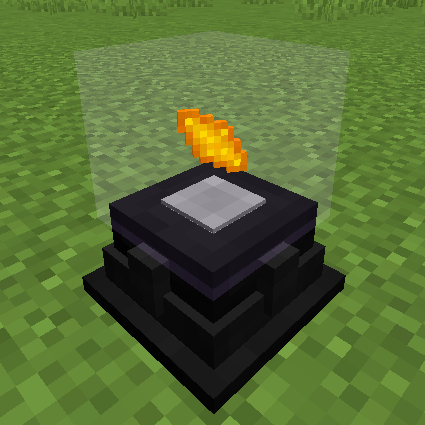
Powah! Mod Guide: Generators, Energy Storage, Reactors & Wireless Power
Powah! is a comprehensive Forge Energy tech mod that adds a full suite of power generation, storage, and transmission options. From simple Furnators burning solid fuel to Uraninite-fueled Reactors, the mod covers every stage of energy infrastructure. Its signature Ender Network system enables wireless power transfer across dimensions.
Overview
Powah! adds a complete energy ecosystem to Minecraft: five types of generators, two energy storage systems, energy cables, wireless power via the Ender Network, and several utility machines. Every machine and cable in the mod comes in seven tiers, from Starter through Nitro (plus a Creative tier), each with increasing capacity, transfer rate, and generation. The mod also adds its own custom crafting mechanic called Energizing, unique ores ( Uraninite,
  Dry Ice), and special crafting materials like Blazing Crystals and
  Energized Steel.
You can browse every item Powah! adds using the Items tab above, and check all available recipes in the Recipes tab. This guide walks you through the mod's systems from your first Furnator to a fully operational Reactor.
Getting Started with Powah!
- 1
Install Lollipop Library
Powah! requires the Lollipop library mod. Make sure it's installed alongside Powah! before launching your game.
- 2
Mine Uraninite Ore
Head underground and look for
 Uraninite Ore. It comes in three variants: Poor Uraninite Ore (spawns in veins of 5 up to Y=64), regular Uraninite Ore (veins of 4 up to Y=32), and Dense Uraninite Ore (veins of 3 up to Y=16). Smelt the
  raw Uraninite into Uraninite ingots. You'll also want to look for Dry Ice in cold and snowy biomes (veins of 15 up to Y=64).
 - 3
Craft Your First Generator
The Furnator is the easiest generator to start with. It burns any solid fuel (Coal, Wood, etc.) and converts it to Forge Energy. A Starter Furnator generates 15 FE/t with a 10,000 FE buffer. The energy per fuel tick defaults to 30 FE, so a single Coal (1,600 burn ticks) produces 48,000 FE total.
- 4
Set Up Energy Storage and Cables
Craft an Energy Cell to store power and Energy Cables to move it around. Even a Starter Energy Cell holds 100,000 FE. Connect your generator to machines using cables. Cables don't store energy themselves; they pass it through at their maximum transfer rate.
- 5
Build an Energizing Setup
Craft an Energizing Orb and at least one Energizing Rod. Place the Orb in an open area and position the Rod(s) within range (default 4 blocks). The Rods beam energy into the Orb to perform Energizing recipes, which is how you craft most of Powah!'s advanced materials like Blazing Crystals, Niotic Crystals, and
Energized Steel.
The Tier System
Nearly every block in Powah! comes in seven tiers: Starter, Basic, Hardened, Blazing, Niotic, Spirited, and Nitro. Each tier requires progressively rarer materials. Starter tier uses basic resources like Stone and Iron. Basic tier introduces Dielectric materials. Hardened tier uses Energized Steel. From Blazing onward, you'll need the corresponding Crystal type ( Blazing Crystal,
  Niotic Crystal,
  Spirited Crystal,
  Nitro Crystal), which are created via the Energizing system.
There is also a Creative tier for testing in creative mode, which has unlimited capacity and transfer. Higher tiers dramatically increase capacity, transfer rates, and generation. A Nitro Energy Cell holds 1,400 times more energy than a Starter, so upgrading tiers is essential for scaling your power infrastructure.
Generators
Furnator (Solid Fuel)
The Furnator is Powah!'s solid fuel generator. Drop in Coal, Charcoal, or any burnable item and it converts the fuel's burn time into Forge Energy. The formula is straightforward: each fuel tick produces 30 FE by default (configurable). Coal has 1,600 fuel ticks, so one piece of Coal generates 48,000 FE. The Furnator has a built-in slot for charging energy items directly.
Magmator (Fluid Fuel)
The Magmator is the liquid equivalent of the Furnator. It accepts Lava by default (10,000 heat per 100 mB), though other mods can register additional magmatic fluids via the API. It has a 4,000 mB internal tank. The Magmator consumes fluid in 100 mB increments and converts the heat value into stored energy, then outputs it at its generation rate.
Thermoelectric Generator
The Thermo Generator produces energy from the temperature differential between a heat source placed below it and a coolant fluid stored in its internal tank. Place it directly above a heat source block like Lava (1,000 heat), Magma Block (800 heat), or Blazing Crystal Block (2,800 heat). Fill its 4,000 mB tank with a coolant fluid (Water by default, with a coldness value of 1). Generation scales with both the heat value and the coldness of the coolant. Colder coolants multiply output significantly.
Blazing Crystal Block provides 2,800 heat, almost 3x more than Lava. If you can afford the Blazing Crystals, use these under your Thermo Generators for a massive boost. The Thermo Generator also consumes only 1 mB of coolant every 40 ticks, so a full tank lasts a long time.
Solar Panel
Solar Panels generate energy during the day when they have a clear line of sight to the sky. They output energy only from their bottom face, so place them on top of cables or machines. A Starter Solar Panel generates just 5 FE/t, scaling up to 1,200 FE/t at Nitro tier. Solar Panels can also charge items placed in their single inventory slot.
There's a powerful upgrade available: the  Lens of Ender. Right-click a Solar Panel with a Lens of Ender to install it. A Solar Panel with a Lens of Ender no longer needs direct sky access; it works as long as it's daytime, even underground or in enclosed buildings. The Lens drops when the Solar Panel is broken.
You can't craft the Lens of Ender directly. Instead, right-click an Enderman or Endermite with a  Photoelectric Pane. This consumes the Photoelectric Pane, kills the mob, and gives you a Lens of Ender. This interaction can be disabled in the config.
Reactor
The Reactor is Powah!'s endgame power generator. When you place one, it automatically constructs a 3x4x3 multiblock structure around itself by placing additional Reactor blocks. The core block sits at the bottom center, and the structure extends 3 blocks upward. This self-building process takes a few seconds as blocks are placed one at a time.
Reactors consume Uraninite as fuel. Each Uraninite ingot adds 100 fuel units (out of a maximum of 1,000). The Reactor has five input slots: slot 0 for charging items, slot 1 for Uraninite fuel, slot 2 for Carbon (any burnable item), slot 3 for Redstone (Redstone Dust or Redstone Blocks), and slot 4 for Solid Coolant. It also has a 1,000 mB fluid tank for liquid coolant (Water by default).
Carbon boosts energy production by 20% (1.2x multiplier) and adds 180 temperature. Redstone boosts production by 40% (1.4x multiplier) and adds 120 temperature. However, higher temperature increases fuel consumption and reduces net output, so you need to manage cooling carefully. Liquid coolant in the tank divides the effective temperature, and solid coolant stacks with it for even stronger cooling. Finding the right balance of boosters and cooling is key to maximizing your Reactor's output.
Don't add Carbon and Redstone without also providing cooling. High temperature dramatically increases fuel consumption. Always keep the fluid tank filled with Water (or a better coolant) and use Solid Coolant in slot 4 for optimal efficiency. Without cooling, your Uraninite will burn through much faster than the energy it produces.
Generator Tier Comparison (Starter vs Nitro)
| Furnator | Magmator | Thermo Gen | Solar Panel | Reactor | |
|---|---|---|---|---|---|
| Starter Capacity | 10,000 FE | 10,000 FE | 5,000 FE | 5,000 FE | 1,000,000 FE |
| Nitro Capacity | 10,000,000 FE | 10,000,000 FE | 8,000,000 FE | 8,000,000 FE | 80,000,000 FE |
| Starter Generation | 15 FE/t | 15 FE/t | 3 FE/t | 5 FE/t | 100 FE/t |
| Nitro Generation | 4,800 FE/t | 4,800 FE/t | 800 FE/t | 1,200 FE/t | 5,400 FE/t |
| Starter Transfer | 80 FE/t | 80 FE/t | 50 FE/t | 50 FE/t | 10,000 FE/t |
| Nitro Transfer | 10,000 FE/t | 10,000 FE/t | 4,000 FE/t | 4,000 FE/t | 800,000 FE/t |
Energy Storage
Energy Cell
Energy Cells are Powah!'s standard energy storage blocks. They accept and output energy on all sides. A Starter Energy Cell holds 100,000 FE with a 200 FE/t transfer rate, scaling up to 140,000,000 FE capacity and 400,000 FE/t transfer at Nitro tier. Energy Cells retain their stored energy when broken and picked up, making them portable batteries.
Battery (Portable)
Batteries are the item version of Energy Cells. They have identical capacity and transfer rates (100,000 FE at Starter, 140,000,000 FE at Nitro) and can be carried in your inventory. Place them in generator or Energy Cell charging slots to fill them up, then use them to power portable tools and equipment from other mods.
Energy Cell / Battery Capacity by Tier
| Starter | 100,000 FE / 200 FE/t transfer |
| Basic | 1,000,000 FE / 2,500 FE/t transfer |
| Hardened | 4,000,000 FE / 8,000 FE/t transfer |
| Blazing | 10,000,000 FE / 20,000 FE/t transfer |
| Niotic | 25,000,000 FE / 50,000 FE/t transfer |
| Spirited | 60,000,000 FE / 100,000 FE/t transfer |
| Nitro | 140,000,000 FE / 400,000 FE/t transfer |
Energy Transmission
Energy Cables
Energy Cables are the backbone of your power network. They don't store energy (0 capacity); instead, they pass through energy at their maximum transfer rate. A Starter Cable transfers 100 FE/t, while a Nitro Cable handles 200,000 FE/t. Cables automatically connect to adjacent machines and other cables. They also support waterlogging, so you can run them through water without issues.
Use the  Wrench to configure cable sides. The Wrench has multiple modes you can cycle through by sneaking and right-clicking: it can rotate blocks, configure side I/O, and remove machines. Right-clicking a cable side in config mode cycles through transfer types, letting you control which direction energy flows.
Ender Network (Wireless Power)
The Ender Network is Powah!'s wireless energy system. It consists of two block types: Ender Cells and Ender Gates. Both connect to a shared, player-owned energy network stored in world data (it persists across chunk loading and even server restarts). Each player gets up to 12 channels of wireless energy storage.
Ender Cells are the storage nodes. They don't have their own capacity; instead, their capacity starts at zero and can be expanded by inserting Ender Extender items into their upgrade slot. The number of channels available depends on the tier: Starter gets 1 channel, Basic gets 2, scaling up to 12 channels at Nitro tier. Ender Cells can also charge items in their inventory slots.
Ender Gates work like Ender Cells but are designed for transmission rather than storage. They have 0 internal capacity and serve as access points to the Ender Network. Place Ender Gates at your machines to wirelessly pull or push energy to any Ender Cell on the same channel. Ender Gates support more channels per tier: Starter gets 1, up to 16 at Nitro tier. The transfer rates are the same as cables (100 FE/t at Starter, 200,000 FE/t at Nitro).
Utility Machines
Player Transmitter
The Player Transmitter wirelessly charges energy items in a specific player's inventory. It requires a  Binding Card to target a player. Right-click the Binding Card to bind it to yourself, then insert it into the Player Transmitter. The machine will then charge all FE-compatible items in that player's inventory and Curios slots. Charging speed ranges from 100 FE/t (Starter) to 50,000 FE/t (Nitro).
By default, the Player Transmitter only works when the player is in the same dimension. To enable cross-dimensional charging, you need a Dimensional Binding Card, created by right-clicking an Enderman or Endermite with a regular Binding Card.
Energy Hopper
The Energy Hopper charges energy items inside an adjacent container. Point it at a Chest, Barrel, or any inventory and it will charge all single-stack energy items inside at its charging speed (100 FE/t at Starter, 50,000 FE/t at Nitro). This is perfect for setting up automated tool-charging stations.
Energy Discharger
The Energy Discharger does the opposite of normal charging: it extracts energy from items and stores it in its internal buffer. Place up to 7 charged energy items (Batteries, charged tools, etc.) into its slots and it will drain their energy into its own storage, which can then be extracted by cables or machines. It has the same capacity as Energy Cells (100,000 FE at Starter, 140,000,000 FE at Nitro) and only outputs energy, never accepts it from external sources.
The Energizing System
Energizing is Powah!'s custom crafting mechanic. It uses two blocks: the Energizing Orb and the Energizing Rod. The Orb acts as the crafting table where you place up to 6 input ingredients. The Rods supply energy to the Orb by beaming it wirelessly from within range (default 4 blocks, configurable up to 32). When enough energy has been delivered, the recipe completes and the output item appears in the Orb.
Energizing Rods come in all seven tiers. A Starter Rod holds 10,000 FE and transfers 10 FE/t to the Orb, while a Nitro Rod holds 10,000,000 FE and transfers 3,000 FE/t. You can place multiple Rods around a single Orb to speed up the process. The Rods accept energy input only from the face they're pointing away from (their back side), so plan your cable routing accordingly.
Energizing recipes are how you create most of Powah!'s advanced materials: Energized Steel, Blazing Crystal, Niotic Crystal, Spirited Crystal, Nitro Crystal, and many of the Capacitors used in crafting higher-tier machines. Check the Recipes tab for the full list of Energizing recipes and their energy costs.
Crafting Materials
Capacitors
Capacitors are intermediate crafting components used in most machine recipes. They come in a tiered progression: Basic Tiny, Basic, Basic Large, Hardened, Blazing, Niotic, Spirited, and Nitro. Each higher-tier Capacitor requires the previous tier plus more advanced Crystals, making them a progression bottleneck. You'll need a steady supply of these as you upgrade your infrastructure.
Crystals and Energized Steel
The four Crystal types (Blazing, Niotic, Spirited, Nitro) are created through Energizing and serve as the primary gate for higher tiers. Each Crystal type is more energy-expensive to create than the last. Crystals can also be crafted into decorative Crystal Blocks, which have no energy function but look nice. The Blazing Crystal Block doubles as a powerful heat source (2,800 heat) for Thermo Generators.
Energized Steel is another key material created via Energizing. It's used in Hardened-tier recipes and above. It can also be crafted into Energized Steel Blocks for storage.
Dielectric Materials
 Dielectric Paste, Dielectric Rods, and Dielectric Casings are insulating materials used in cable and machine crafting. They represent the Basic-tier material progression. Dielectric Rods come in vertical and horizontal variants for different recipes.
Special Items
The  Ender Core is a crafting component used in Ender Cell and Ender Gate recipes. The Thermoelectric Plate is used in Thermoelectric Generator recipes. Photoelectric Panes are used to craft Solar Panels and can be used on Endermen/Endermites to obtain the Lens of Ender.
Unique Items and Interactions
Binding Cards
Binding Cards are used with the Player Transmitter. Craft a  Blank Card first, then craft it into a Binding Card. Right-click to bind it to yourself. Only the bound player can use the card, and attempting to use another player's card shows an error. The Dimensional Binding Card is obtained by right-clicking an Enderman or Endermite with a regular Binding Card; it preserves the player binding.
Aerial Pearl and Player Aerial Pearl
The  Aerial Pearl is a crafting material. Right-click a Zombie, Zombie Villager, or Husk with an Aerial Pearl to obtain a
  Player Aerial Pearl, which is used in Player Transmitter recipes. This mob interaction can be disabled in the config.
Charged Snowball
A fun utility item that works like a regular Snowball but summons a lightning bolt on impact. Deals bonus damage to Blazes (3 damage vs 0 for other mobs, plus the lightning). Stacks up to 16.
Wrench
The Wrench is essential for managing your Powah! setup. Sneak + right-click in the air to cycle between modes. In configuration mode, right-click machine or cable faces to change their I/O settings. The Wrench also works with any block that implements the IWrenchable interface from other mods.
Powah! Book
The in-game manual. Right-click to open it. It provides documentation on all of Powah!'s machines, items, and mechanics. Stacks to 1 and has Uncommon (yellow) rarity.
World Generation
Powah! adds two ore types to world generation. Uraninite Ore generates in all biomes in three variants: Poor Uraninite Ore in veins of 5 up to Y=64, regular Uraninite Ore in veins of 4 up to Y=32, and Dense Uraninite Ore in veins of 3 up to Y=16. Dense Uraninite is rarer but yields more material.
Dry Ice generates only in cold and snowy biomes, in veins of 15 up to Y=64. It's used as a solid coolant in Reactors and in various crafting recipes. All ore generation chances are configurable, and ore generation can be disabled entirely in the config.
Configuration
Powah! has extensive configuration files located in the config/powah/ directory. The general config controls ore generation chances, solid fuel energy per tick (default 30 FE), heat source blocks, coolant fluids, and toggles for mob interactions (Aerial Pearl, Binding Card, Lens of Ender). Each machine type has its own config file under config/powah/energy/ where you can adjust capacity, transfer rate, and generation for every tier individually.
Modpack makers can register custom heat sources, coolant fluids, and magmatic fluids either through the config files or through the PowahAPI in code. For example, adding a new heat source is as simple as adding "modname:block_id=heat_value" to the heatSources list in the general config. The API flags (heatBlocksAPI, coolantFluidsAPI, magmaticFluidsAPI) control whether other mods can register their own values programmatically.
Cable Transfer Rates by Tier
| Starter | 100 FE/t |
| Basic | 1,400 FE/t |
| Hardened | 5,000 FE/t |
| Blazing | 18,000 FE/t |
| Niotic | 40,000 FE/t |
| Spirited | 90,000 FE/t |
| Nitro | 200,000 FE/t |
Frequently Asked Questions
Why is my Reactor not building/working?
The Reactor needs a clear 3x4x3 space above and around it to auto-build its multiblock structure. Make sure there are no blocks in the way. Once built, you need to add Uraninite to the fuel slot and ensure the internal buffer isn't full. The Reactor also respects Redstone signals, so check that it's not being disabled by a Redstone input.
How do I get Uraninite?
Mine Uraninite Ore underground. Poor Uraninite spawns up to Y=64, regular up to Y=32, and Dense up to Y=16. Smelt the raw Uraninite (Poor, Regular, or Dense) into Uraninite ingots. You can also craft Uraninite Blocks for compact storage (and back into 9 Uraninite).
Does the Ender Network work across dimensions?
Yes. The Ender Network stores energy in world-saved data, not in the blocks themselves. Ender Cells and Ender Gates on the same channel and owned by the same player share the same energy pool regardless of dimension. Just make sure the chunks are loaded.
How do I speed up Energizing recipes?
Add more Energizing Rods around the Orb. Each Rod contributes its transfer rate simultaneously. Using higher-tier Rods also helps; a Nitro Energizing Rod transfers 3,000 FE/t compared to a Starter's 10 FE/t. You can place up to as many Rods as fit within range.
Can I use Powah! cables with other mods' machines?
Yes. Powah! cables work with any block that supports the Forge Energy (FE) capability. They automatically connect to compatible machines from other mods. The cables are also server-friendly, meaning they don't cause tick lag even in large networks.
What is the best early-game generator?
The Furnator is the easiest to get started with since it uses any solid fuel. Solar Panels are also a good early option for passive generation, though they only work during the day without a Lens of Ender. For sustained early power, a few Starter Furnators running on Coal will serve you well until you can afford Magmators or Thermo Generators.