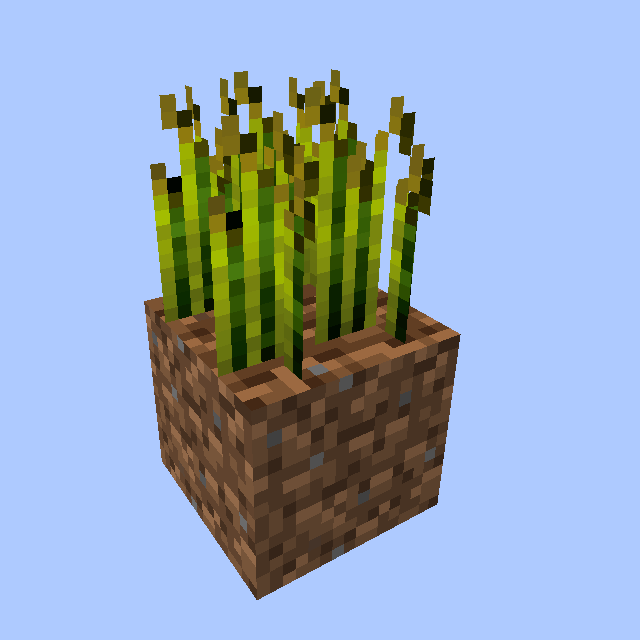
Reap Mod Guide: Right-Click Crop Harvesting & Tree Felling
Reap Mod adds two powerful quality-of-life features to Minecraft: right-click crop harvesting with automatic replanting, and tree felling that brings down entire trees by breaking a single log. Both features are fully configurable and work with modded crops and trees.
Overview
Reap Mod is a lightweight quality-of-life mod that streamlines two of Minecraft's most repetitive tasks: harvesting crops and chopping trees. Instead of breaking each crop block individually, you can simply right-click a fully grown crop to instantly harvest it and replant it in one action. For trees, breaking the bottom log of a trunk will fell the entire tree at once, saving you from pillar-jumping to reach every log.
The mod doesn't add any new items, blocks, or crafting recipes. It works entirely through two new gameplay mechanics that apply to vanilla and modded content alike. Every aspect of the mod is configurable, from which crops can be right-click harvested to which tools can fell trees. You can browse the configuration details in the sections below.
Getting Started
- 1
Install and Load the Mod
Once Reap Mod is in your mods folder and you've launched the game, both features are active immediately. There's nothing to craft or unlock. A configuration file will be generated at config/reap.cfg on first launch.
- 2
Right-Click a Fully Grown Crop
Walk up to any fully grown Wheat, Carrots, Potatoes, Beetroots, or Nether Wart and right-click it. The crop will be harvested, dropping its items on the ground, and the crop will automatically replant itself at growth stage zero. You can harvest with an empty hand or while holding any item.
- 3
Try Tree Felling
Equip any Axe (Wood, Stone, Iron, Gold, or Diamond) and break the bottom log of a tree while standing normally. The entire tree will be felled at once, breaking up to 128 connected logs. If you want to break just one log at a time, hold sneak (Shift) while chopping. Your Axe will take durability damage for each log broken.
- 4
Customize the Config
Open config/reap.cfg in a text editor to customize which crops can be harvested, which log types can be felled, which tools are allowed, and whether tree harvesting is enabled at all. You can add modded crops and trees using their registry names (e.g., modid:blockname). Changes take effect after restarting the game.
Right-Click Crop Harvesting
The crop harvesting feature works by intercepting right-click events on blocks. When you right-click a crop that is in the whitelist and has reached its maximum growth stage, the mod collects the crop's drops, resets the crop to age zero (effectively replanting it), and spawns the harvested items at the crop's location. The replanting happens instantly and costs nothing, so you never need to carry extra Seeds.
The mod checks two conditions before harvesting: the crop must be in the configured whitelist, and it must be fully grown. If a crop is still growing, right-clicking it will do nothing. This means you can safely walk through your farm right-clicking everything without accidentally breaking immature crops.
Default Whitelisted Crops
Out of the box, the following five crops support right-click harvesting: Wheat, Carrots, Potatoes, Beetroots, and Nether Wart. These cover all of vanilla Minecraft's farmable crops. Modded crops can be added to the whitelist through the config file using their registry names.
The mod also preserves directional crop states. Crops that have a facing property (like some modded crops) will maintain their orientation after being replanted. This is a small but important detail that prevents visual glitches in modded farming setups.
Since right-click harvesting automatically replants, you can run through an entire farm holding right-click without needing to carry Seeds. This makes large-scale farming dramatically faster, especially for Wheat and Beetroots which normally require manual replanting.
Tree Felling
The tree felling feature triggers when you break a log block that meets several conditions. The log must be directly above a ground block (Dirt or Grass by default), it must be oriented vertically (Y-axis), you must be holding an allowed tool, and you must not be sneaking. When all conditions are met, breaking that bottom log will recursively destroy all connected logs of the same type, up to a maximum of 128 blocks.
The recursive algorithm searches all 26 adjacent positions (a 3x3x3 cube minus the center) for matching logs, then continues outward from each discovered log. This means it handles branching trees, diagonal connections, and unusual tree shapes. However, it only breaks logs of the exact same wood type as the one you initially broke, so mixed wood structures won't be accidentally destroyed.
Important Details
Your Axe takes durability damage for every log broken in the chain. Felling a large Oak Tree might cost 10-15 durability, while a massive Jungle Tree could consume significantly more. Keep this in mind when using lower-tier Axes. If your Axe breaks mid-fell, the remaining logs above won't be destroyed.
The 128-block limit prevents performance issues with extremely large or artificially connected log structures. In practice, this is more than enough for any naturally generated tree in vanilla Minecraft. Only player-built structures with more than 128 connected logs would hit this cap.
If you need to break a single log without felling the whole tree, hold Shift (sneak) while chopping. This is essential when building with logs or when you only need a few blocks from a tree. The tree felling check explicitly skips players who are sneaking.
Default Allowed Tree Tools
| Wooden Axe | 59 durability |
| Stone Axe | 131 durability |
| Iron Axe | 250 durability |
| Gold Axe | 32 durability |
| Diamond Axe | 1561 durability |
Configuration
All of Reap Mod's behavior is controlled through the config/reap.cfg file. The config uses Forge's standard configuration format, and entries use Minecraft registry names in the format modid:blockname or modid:itemname. You can optionally append a metadata value with a colon (e.g., minecraft:log:2 for Birch Log specifically).
Config Options
The enable_tree_harvest option is a simple boolean (true/false) that toggles the entire tree felling feature. Set this to false if you only want right-click crop harvesting. It defaults to true.
The whitelist controls which crop blocks can be right-click harvested. The defaults are minecraft:wheat, minecraft:carrots, minecraft:potatoes, minecraft:beetroots, and minecraft:nether_wart. To add a modded crop, simply add its registry name to this list.
The log_types list defines which blocks count as logs for tree felling. By default this includes minecraft:log (Oak, Spruce, Birch, Jungle) and minecraft:log2 (Acacia, Dark Oak). Add modded log blocks here if they aren't being detected.
The tree_ground_blocks list defines which blocks count as "ground" beneath a tree trunk. The bottom log must be directly above one of these blocks for tree felling to activate. Defaults are minecraft:dirt and minecraft:grass. If trees in your modpack grow on custom soil blocks, add them here.
The allowed_tree_tools list specifies which held items enable tree felling. By default, all five vanilla Axes are included. Add modded axes or other tools using their registry names to extend this list.
Reap Mod works with any modded crop that extends the standard IGrowable interface and any modded tree that uses standard log blocks. For mods with custom crop or log implementations, you just need to add their registry names to the appropriate config lists. This makes the mod compatible with popular farming and tree mods out of the box or with minimal config tweaks.
Frequently Asked Questions
Does right-click harvesting work with Pumpkins and Melons?
Not by default. Pumpkins and Melons are not in the default whitelist because they don't use the standard crop growth system. They grow as separate blocks from a stem, so the right-click harvest mechanic doesn't apply to them in the same way. You could add their block IDs to the config, but results may vary.
Why isn't tree felling working for me?
Check four things: you must be holding an Axe from the allowed tools list, you must not be sneaking, you must be breaking the bottom-most log (the one sitting on Dirt or Grass), and the log must be vertically oriented. If the tree is growing on a block not in the ground types list (like Podzol or Mycelium), tree felling won't trigger until you add that block to the config.
Does tree felling work with modded Axes?
Only if you add them to the allowed_tree_tools config list. By default, only the five vanilla Axes (Wooden, Stone, Iron, Gold, Diamond) are included. Add your modded axe's registry name (e.g., tinkersconstruct:hatchet) to the list to enable tree felling with it.
Will my Axe break from felling a large tree?
It can. Each log broken in the chain costs one point of durability, just like breaking it normally. A large Dark Oak or Jungle Tree can have 30-50+ logs, so a Wooden Axe (59 durability) or Gold Axe (32 durability) could easily break during a single fell. Diamond Axes with 1561 durability handle this much better. If your Axe breaks mid-fell, the remaining logs above won't be destroyed.
Can I disable tree felling but keep crop harvesting?
Yes. Open config/reap.cfg and set enable_tree_harvest to false. Crop harvesting is always active as long as the mod is installed and the whitelist has entries. There is no separate toggle for crop harvesting; remove all entries from the whitelist if you want to disable it.
Does Reap Mod work on servers?
Yes. The mod needs to be installed on the server side. It also works fine on the client side for single-player worlds. For multiplayer, the server controls the config, so all players share the same settings for which crops and trees are supported.