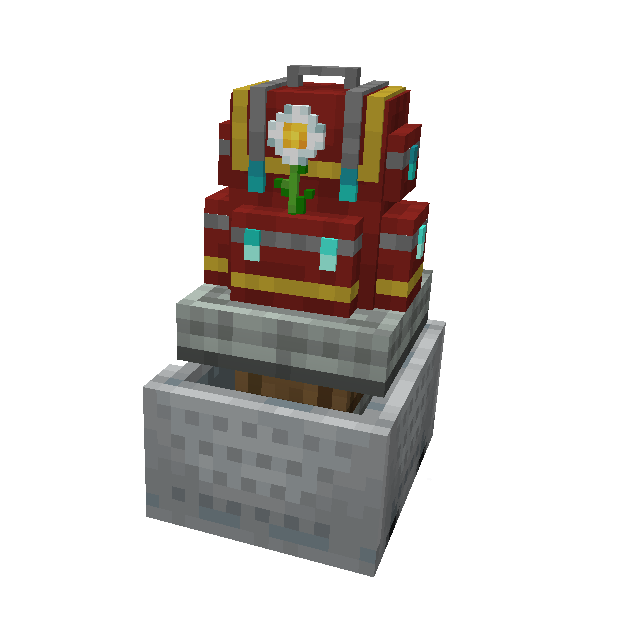
Sophisticated Backpacks Create Integration: Using Backpacks on Contraptions
Sophisticated Backpacks Create Integration bridges two of Minecraft's most powerful mods, letting you mount fully functional Sophisticated Backpacks on Create contraptions. All upgrades, settings, and inventory management features work while in motion, enabling advanced mobile storage and automation systems.
Overview
Sophisticated Backpacks Create Integration is an addon that connects two popular mods: Sophisticated Backpacks and Create. It allows you to place Sophisticated Backpacks directly onto Create contraptions, where they retain their full functionality while the contraption moves. This means your backpacks keep their contents, upgrade configurations, memorized slot settings, and custom colors, all while riding along on a moving machine.
The real power of this integration goes beyond simple portable storage. Every backpack upgrade that works in a stationary backpack also works on a moving contraption. Pickup Upgrades collect items near the contraption, Magnet Upgrades pull items from a distance, Feeding Upgrades can keep players fed, and Filter and Void Upgrades manage inventory automatically. Position-dependent upgrades correctly track the contraption's current world position, so everything behaves as expected even at high speeds.
This mod requires both Sophisticated Backpacks and Create to be installed. You can browse any items or recipes associated with this mod using the tabs on this page.
Prerequisites
Before using this integration, you need working knowledge of both parent mods. On the Sophisticated Backpacks side, you should know how to craft Backpacks, dye them, and install Upgrades. On the Create side, you need to understand how to build contraptions using Mechanical Bearings, Minecart Assemblies, or other contraption starters. You should be comfortable with Superglue for attaching blocks to contraptions and know how to use a Wrench.
The mod runs on NeoForge and supports Minecraft 1.21.1. Make sure your versions of Sophisticated Backpacks, Sophisticated Core, and Create are all compatible with your game version.
Getting Started
- 1
Craft and Configure a Backpack
Start by crafting a Sophisticated Backpack and setting it up the way you want. Install any Upgrades you plan to use on the contraption, configure memorized slots, set up Filters, and dye it if desired. All of these settings will persist once the Backpack is mounted on a contraption.
- 2
Place the Backpack in Your Build
Place the Backpack as a block in the structure that will become your contraption. Position it where you want it relative to the other blocks. The Backpack block works like any other block when assembling a contraption with Superglue.
- 3
Assemble the Contraption
Use your preferred contraption starter (Mechanical Bearing, Windmill Bearing, Cart Assembler, etc.) to assemble the structure. The Backpack will be picked up as part of the contraption, and its mounted storage type will be registered automatically. All contents and upgrades are preserved during assembly.
- 4
Interact with the Mounted Backpack
Right-click the Backpack on the moving contraption to open its inventory. You'll get the full Backpack GUI with all upgrade slots, settings tabs, and sorting buttons. You can add or remove items, change upgrade settings, and access the settings screen, all while the contraption is in motion.
- 5
Let Upgrades Do Their Work
Once the contraption is moving, all installed upgrades activate automatically. Pickup Upgrades will collect items the contraption passes over, Magnet Upgrades pull items from nearby, and any other tickable upgrades run every game tick using the contraption's current world position.
If you have a Backpack inside another Backpack (a sub-Backpack), you can open it while mounted on a contraption. Click the sub-Backpack in the inventory, and the mod will navigate into it. Press the Backpack keybind or Escape to return to the parent Backpack. This nested navigation works the same way it does with stationary Backpacks.
Upgrade Behavior on Contraptions
The integration ensures that every upgrade type from Sophisticated Backpacks functions correctly on moving contraptions. The key challenge the mod solves is position tracking. When a Backpack sits on a stationary block, its position is fixed. On a contraption, the mod continuously updates the Backpack's world position based on the contraption entity's movement, so upgrades that depend on location always reference the correct coordinates.
Item Collection
Pickup Upgrades actively scan for Item Entities near the Backpack's current world position every tick. The collection area is a 1-block cube centered on the Backpack's position with a 0.2-block inflation in all directions. Any items within this area are processed through the Backpack's pickup response upgrades, which means Filter settings, Void Upgrade rules, and other inventory management features all apply. If an item is only partially picked up (due to stack size limits or filters), the remaining items stay on the ground.
Tickable Upgrades
All upgrades that implement the ITickableUpgrade interface run on the server every game tick while the contraption is assembled and moving. This includes upgrades like the Feeding Upgrade, which can feed nearby players, and the Magnet Upgrade, which attracts items from a wider radius. Each upgrade receives the contraption entity reference, the current level, and the Backpack's calculated world position so it can function accurately.
Render Effects
On the client side, visual effects from upgrades (like particle effects or Tank overlays) render at the correct position on the contraption. The mod updates the Backpack's block entity data on the contraption to reflect the current state, including Tank visibility for left and right positions and Battery indicators. These visual updates happen periodically with a 1-in-10 tick chance to reduce client-side overhead.
Schematics Support
Backpacks placed in Create Schematics are fully supported through a custom SafeNbtWriter. When a Schematic containing a Backpack is saved, the mod writes the Backpack's color data (both main color and accent color) into the Schematic safely. The storage UUID is stripped during this process to prevent duplication exploits, meaning placed Backpacks from Schematics will start with empty inventories but retain their visual appearance.
This is particularly useful when designing reusable contraption blueprints. You can create a Schematic of your favorite contraption design with correctly colored Backpacks already in position, then stamp it out as many times as needed without worrying about inventory duplication.
When placing a Backpack from a Schematic, the storage UUID is removed to prevent item duplication. The Backpack will have the correct colors but no items, upgrades, or settings. You'll need to configure it fresh after placement.
Recipe Viewer Compatibility
The mod includes built-in compatibility with all three major recipe viewer mods: JEI (Just Enough Items), REI (Roughly Enough Items), and EMI. When you open a mounted Backpack's GUI, the recipe viewer correctly handles the exclusion zones around upgrade slots, settings tabs, and sort buttons so that the recipe browser doesn't overlap with Backpack UI elements.
Ghost ingredient dragging works in both the main Backpack inventory and the settings screen, so you can drag items from the recipe viewer directly into filter slots or memorized slot configurations. Crafting recipe transfer also works with the mounted Backpack's crafting grid, letting you auto-fill recipes from your recipe viewer of choice while the contraption is in motion.
Disassembly and Persistence
When a contraption is disassembled (by breaking the contraption starter or stopping a Minecart), the Backpack block is placed back into the world with all its contents intact. The unmount process restores the full Backpack data, including the storage UUID, to the Backpack Block Entity. This means you won't lose any items, upgrades, or settings when transitioning between contraption and stationary states.
While mounted on a contraption, the Backpack's NBT data on the contraption structure is cleared after initialization to reduce memory usage and network overhead. The actual inventory data is managed through the mounted storage system and synced to tracking players via update packets whenever the contents change.
If you use Inventory Tweaks Refoxed, the mounted Backpack container is automatically blacklisted from the mod's sorting behavior to prevent conflicts. You can still use the Sophisticated Backpacks built-in sort button, which works correctly on contraptions.
Frequently Asked Questions
Do all Sophisticated Backpack tiers work on contraptions?
Yes. The mod registers its movement behavior for every block that extends BackpackBlock, which includes all Backpack tiers (Leather, Iron, Gold, Diamond, Netherite). Any Backpack block from Sophisticated Backpacks will work on a contraption with full functionality.
Can I access a Backpack on a contraption that's currently moving?
Yes. Right-click the Backpack on the moving contraption to open its full inventory GUI. You can add or remove items, change settings, and manage upgrades while the contraption is in motion. The GUI works identically to a stationary Backpack.
Will my items be lost if the contraption is destroyed?
When a contraption is properly disassembled, the Backpack is restored with all contents intact. If the contraption is forcibly broken or the entity is killed, standard Create contraption drop behavior applies. The Backpack's storage data is persisted through its storage UUID, so the contents should survive as long as the Backpack item or block is recovered.
Do Backpacks inside Backpacks work on contraptions?
Yes. Sub-Backpacks (Backpacks stored as items inside a mounted Backpack) can be opened by clicking on them in the inventory. The mod supports full navigation between parent and child Backpacks using the dedicated keybind or the back-to-Backpack tab in the settings screen.
Does this mod add any new items or blocks?
No. This mod does not add any new items, blocks, or recipes. It is purely an integration mod that registers movement behaviors, mounted storage handlers, and container menus so that existing Sophisticated Backpacks blocks work seamlessly on Create contraptions.
Which recipe viewers are supported?
JEI, REI, and EMI are all supported. The mod provides proper exclusion zones, ghost ingredient handling, and crafting transfer support for all three. You only need one recipe viewer installed; the mod detects which one is present and registers the appropriate compatibility.