Upgrade Aquatic Mod Guide: New Corals, Ocean Mobs, Insomnia & More
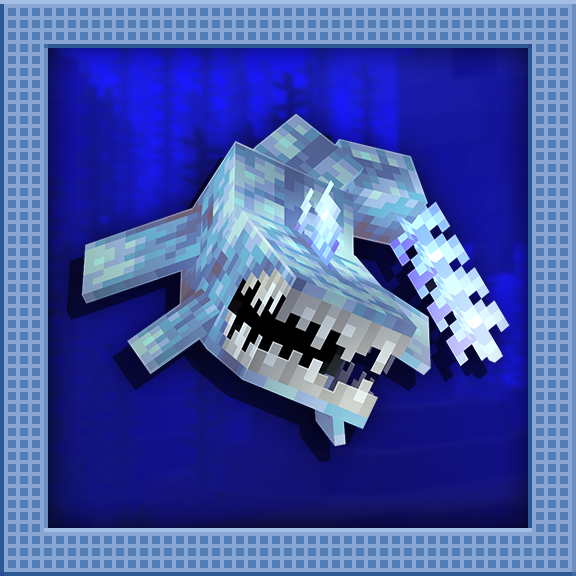
Upgrade Aquatic expands Minecraft's oceans with ten new coral types, Prismarine Coral that grows in ocean ravines, the bucketable Nautilus mob, colorful Jelly Torches that work underwater, dyeable Bedrolls for camping, and a reworked Insomnia system with new potions. It transforms aquatic exploration into a richer, more rewarding experience.
Overview
Upgrade Aquatic is a content expansion focused on improving everything introduced in Minecraft's Update Aquatic. Rather than overhauling core gameplay, it adds new coral varieties, ocean-dwelling creatures, underwater building tools, and a reworked sleep mechanic that makes Phantoms feel more meaningful. The mod is designed to feel like a natural extension of vanilla Minecraft, adding content that blends seamlessly with existing ocean biomes.
The mod adds ten new coral types (Acan, Finger, Star, Moss, Petal, Branch, Rock, Pillow, Silk, and Prismarine), a new Nautilus mob that spawns in deep ocean ravines, colorful Jelly Torches that function underwater, dyeable Bedrolls for portable sleeping, Guardian and Elder Guardian Spines for Redstone contraptions, the  Elder Eye detection block, and a completely reworked Insomnia system with new potions. You can browse every item and recipe the mod adds using the tabs at the top of this page.
Getting Started
- 1
Explore Ocean Biomes for New Corals
Head to any ocean biome and dive beneath the surface. You'll immediately notice new coral varieties alongside the vanilla ones. The mod adds nine standard coral types (Acan, Finger, Star, Moss, Petal, Branch, Rock, Pillow, and Silk), each available as coral blocks, coral plants, coral fans, and wall fans. Like vanilla corals, these die when removed from water, turning into their dead variants.
- 2
Dive Into Ocean Ravines for Prismarine Coral
The most unique addition is
 Prismarine Coral, which generates exclusively in underwater ocean ravines alongside Prismarine Coral Showers (hanging variants). Unlike other corals, Prismarine Coral emits a light level of 3, making ocean ravines glow with an eerie teal light. When Prismarine Coral dies outside water, it becomes
  Elder Prismarine Coral.
 - 3
Find and Bucket a Nautilus
The Nautilus is a passive water creature that spawns in ocean biomes at Y level 30 or below, in groups of 1 to 4. It has 18 health points (9 hearts) and can be captured with a Water Bucket, creating a Nautilus Bucket. Nautiluses flee from players, Squids, and Drowned, so approach carefully. They can be placed and picked up like tropical fish.
- 4
Craft Jelly Torches for Underwater Lighting
Jelly Torches are waterloggable light sources that come in eight colors: Pink, Purple, Blue, Green, Yellow, Orange, Red, and White. Unlike regular Torches, these can be placed underwater without breaking, making them essential for illuminating ocean builds. They produce colorful jellyfish-like particles that give underwater areas a magical ambiance.
- 5
Manage Your Sleep with Bedrolls and New Potions
Craft a
 Bedroll for portable sleeping that does NOT set your spawn point. Bedrolls come in all 16 dye colors plus a default Leather variant, and they're waterloggable. They also cushion falls (reducing fall damage by 80%) and have a slight bounce effect. The mod adds Restfulness and Insomnia potions that directly manipulate your Phantom spawning timer, giving you new ways to control the sleep mechanic.
New Coral Varieties
The mod dramatically expands the coral ecosystem by adding nine new standard coral types: Acan, Finger, Star, Moss, Petal, Branch, Rock, Pillow, and Silk. Each type comes in four block forms, matching vanilla coral behavior: full Coral Blocks, small Coral plants, Coral Fans (floor-placed), and Coral Wall Fans. Every living coral has a dead variant that it transforms into when removed from water, giving builders access to a huge palette of both colorful and muted decorative blocks.
Coral Blocks have 1.5 hardness and 6.0 blast resistance, matching vanilla coral block durability. The individual coral plants and fans are fragile with 0.0 hardness, and must be mined with Silk Touch to collect in their living form. All new corals generate naturally in ocean biomes alongside vanilla corals, so you don't need to do anything special to find them.
Prismarine Coral
Prismarine Coral is the star of the mod's ocean content. This unique coral variety generates exclusively in underwater ocean ravines as part of Prismarine Coral Shelf formations. Unlike all other corals, Prismarine Coral emits a light level of 3, creating an atmospheric glow in the deep ocean. It comes as Prismarine Coral Blocks (hardness 3.0, double the normal coral block), Prismarine Coral plants, Prismarine Coral Fans, Wall Fans, and the unique  Prismarine Coral Shower, which hangs from ceilings like stalactites.
When Prismarine Coral dies (removed from water), it becomes Elder Prismarine Coral, which retains its unique teal-gray appearance. The Prismarine Coral Shower also has a dead Elder variant. These dead forms make excellent decorative blocks for ocean monument-themed builds.
Use Silk Touch tools to collect living coral variants. Without Silk Touch, you'll only get the dead versions. Coral Blocks can be mined without Silk Touch and will still drop, but individual coral plants and fans will be destroyed.
The Nautilus
The Nautilus is a passive water creature that spawns in deep ocean biomes (Ocean, Deep Ocean, Cold Ocean, Deep Cold Ocean, Lukewarm Ocean, Deep Lukewarm Ocean) at Y level 30 or below. They spawn in groups of 1 to 4 and have 18 health points (9 hearts), making them surprisingly durable for a passive mob. Nautiluses use a swimming pathfinder and drift slowly through the water when not fleeing, producing bubble particles as they move.
Nautiluses are skittish creatures that actively flee from Players, Squids, and Drowned within a 9-block radius. When fleeing, they move at an increased speed of 4.4 blocks per second (compared to their normal 3.9). They can be captured with a Water Bucket to create a Nautilus Bucket, which stacks to 1. Nautiluses captured in buckets remember their name (if named with a Name Tag) and can be released later. The Nautilus Bucket also works with Dispensers, allowing automated placement and collection.
Nautilus Stats
| Health | 18 HP (9 Hearts) |
| Spawn Biomes | Ocean, Deep Ocean, Cold/Lukewarm variants |
| Spawn Depth | Y 30 or below |
| Group Size | 1-4 |
| Behavior | Passive, flees players/squids/drowned |
| Bucketable | Yes (Nautilus Bucket) |
Jelly Torches
Jelly Torches are one of the most practical additions in the mod. Available in eight colors (Pink, Purple, Blue, Green, Yellow, Orange, Red, and White), these translucent light sources can be waterlogged, meaning they function perfectly underwater. This makes them invaluable for illuminating underwater builds, ocean monuments, or any aquatic structure where regular Torches would immediately break.
Like vanilla Torches, Jelly Torches can be placed on floors or walls. The wall variants automatically orient to the direction they're placed on. Each Jelly Torch produces colorful, jellyfish-inspired particles that match its color, creating a beautiful ambient effect. The particles are small and subtle, adding atmosphere without being distracting. They use the same sound type as wet grass blocks when placed.
Guardian Spines
Guardian Spines and Elder Guardian Spines are directional, Redstone-powered defensive blocks. They can be placed facing any direction (all six faces) and have two states: drawn (extended) and retracted. When powered by Redstone, the spines extend outward. When unpowered, they retract to a tiny hitbox. This makes them excellent for creating traps, security systems, or themed Ocean Monument builds.
When a living entity moves through an extended spine, it takes damage and is slowed significantly. Regular Guardian Spines deal 2.0 damage (1 heart) per movement tick, while Elder Guardian Spines deal 3.0 damage (1.5 hearts) and also apply the Mining Fatigue effect for 2 seconds (40 ticks). Both spine types are waterloggable and require a Pickaxe to mine efficiently (1.5 hardness). Mobs treat spine blocks as lava in their pathfinding, meaning they actively avoid walking through them.
Be careful when placing Guardian Spines near your base. They damage ALL living entities, including you. Elder Guardian Spines are especially dangerous because the Mining Fatigue effect stacks with repeated contact, making it very difficult to mine your way out if you get trapped. Always include a Redstone cutoff switch in your trap designs.
Spine Comparison
| Guardian Spine | Elder Guardian Spine | |
|---|---|---|
| Damage | 2.0 (1 Heart) | 3.0 (1.5 Hearts) |
| Mining Fatigue | No | Yes (2 sec) |
| Hardness | 1.5 | 1.5 |
| Waterloggable | Yes | Yes |
| Redstone Controlled | Yes | Yes |
The Elder Eye
The Elder Eye is a rare-quality directional block that functions as an entity detector, similar to a Sculk Sensor but with a line-of-sight mechanic. It can be placed facing any direction and toggled between active and inactive states by right-clicking. When active, the Elder Eye scans in the direction it faces for up to 13 blocks, detecting any living entities (excluding Paintings and Item Frames) in its line of sight.
When the Elder Eye detects an entity, it outputs a Redstone signal of 15 in all directions. The detection is blocked by solid, opaque blocks, so entities hiding behind walls won't trigger it. The eye's animated texture changes between a glowing active state and a dim inactive state, with a guardian-eye aesthetic. It checks for entities every 4 ticks (5 times per second), making it very responsive. The block has 1.0 hardness and is waterloggable, fitting naturally into ocean-themed Redstone builds.
The Elder Eye pairs perfectly with Guardian Spines. Wire an Elder Eye to a line of Guardian Spines to create an automatic defense system that extends spines when a mob walks into the detection zone. Place the Elder Eye on a wall facing a corridor and connect it via Redstone to Spines lining the floor for an effective Ocean Monument-style trap.
Bedrolls
Bedrolls are portable sleeping blocks that let you skip the night without setting your spawn point. This makes them ideal for long exploration trips where you want to avoid Phantoms but don't want to lose your home spawn. They function identically to Beds for sleeping purposes, but the game explicitly prevents them from changing your respawn location.
Bedrolls come in all 16 dye colors plus a default Leather variant (17 total). They have a flat, 2-pixel-tall profile (compared to a Bed's 9 pixels), making them look like sleeping bags rolled out on the ground. They're soft blocks with 0.2 hardness and 0.3 blast resistance, and they're waterloggable, so you can place them in shallow water. When an entity falls onto a Bedroll, fall damage is reduced by 80% and the entity bounces slightly, similar to Slime Blocks but less pronounced. Bedrolls are destroyed by Pistons (push reaction: DESTROY), so they can't be used in flying machine designs.
Insomnia System & New Potions
Upgrade Aquatic reworks how Insomnia and Phantoms function. In vanilla Minecraft, Phantoms spawn after 3 in-game days without sleeping. This mod gives you direct control over the Insomnia timer through two new potion effects: Restfulness and Insomnia.
Restfulness Effect
The Restfulness effect is a beneficial instant potion that reduces your time-since-last-rest stat by 24,000 ticks (1 full in-game day) per amplifier level. At level I, it removes one day of sleep debt; at level II, it removes two days. This directly delays Phantom spawns without needing to sleep in a Bed. When thrown as a Splash Potion at a Phantom, Restfulness instantly kills it, dealing maximum float damage, making it an effective weapon against Phantom swarms.
Insomnia Effect
The Insomnia effect is a harmful instant potion that increases your time-since-last-rest stat by 24,000 ticks per amplifier level, accelerating Phantom spawns. At level I, it adds one day of sleep debt; at level II, it adds two days. This is primarily useful in PvP situations or for players who want to farm Phantoms more aggressively.
Brewing Recipes
The Potion of Restfulness is brewed by adding a Phantom Membrane to an Awkward Potion. To amplify it to level II, add Glowstone Dust. To invert it into a Potion of Insomnia, add a Fermented Spider Eye to the Restfulness potion. The Potion of Insomnia can also be amplified with Glowstone Dust for level II.
Phantom Behavior Changes
The mod also adjusts Phantom targeting. Phantoms will stop targeting a player if their time-since-last-rest stat drops below 72,000 ticks (3 in-game days). This means that if you use a Restfulness potion during a Phantom attack, the Phantoms currently targeting you will disengage. Additionally, the mod adds a configurable insomnia overlay that renders on your screen as your sleep deprivation increases. The overlay begins appearing after a configurable number of days (default: 3) and gradually intensifies as a visual warning that Phantoms are coming.
Other Additions
Embedded Ammonite
Embedded Ammonites are decorative fossil blocks that generate as ore-like deposits in ocean and beach biomes. They spawn between Y levels 20 and 73 with a vein size of up to 3 blocks, appearing in natural Stone. They have the same properties as Stone (require a Pickaxe to mine) and serve as a purely decorative find, adding archaeological flavor to underwater exploration and beach mining.
Prismarine Rod
The  Prismarine Rod is a crafting ingredient item that stacks to 64. Based on the mod's description, this item is used as a component for crafting Trident-related items, providing a renewable path to Trident maintenance and crafting that doesn't rely solely on Drowned farming.
Drowned AI Changes
The mod adds a behavioral tweak to Drowned: they now actively avoid Turtles within a 6-block radius. This is a small but meaningful change that gives Turtles a bit more protection in ocean environments, making Turtle Egg farms near water slightly safer from Drowned interference.
Configuration
The mod has one client-side configuration option: the number of in-game days before the Insomnia overlay starts rendering. The default is 3 days (matching when Phantoms begin spawning), but you can increase this if you find the visual effect distracting, or set it to 0 to disable the overlay entirely. This setting only affects the visual overlay; it does not change when Phantoms actually spawn.
Compatibility
Upgrade Aquatic is designed to work alongside other Team Abnormals mods. It has built-in cross-compatibility with Boatload (expanded boat types), Buzzier Bees (bee and pollination content), and Quark (Mojang-style quality of life additions). Since this mod focuses exclusively on aquatic and sleep-related content, it generally plays well with other mods that don't heavily modify ocean generation or Phantom mechanics.
Frequently Asked Questions
Do the new corals work with vanilla Bone Meal coral spreading?
The new coral types follow vanilla coral mechanics. They die when removed from water and turn into their dead variants. Their interaction with Bone Meal depends on how the mod integrates with vanilla spreading mechanics, but they can be collected with Silk Touch like any other coral.
Where do Nautiluses spawn and how do I find them?
Nautiluses spawn at Y level 30 or below in Ocean, Deep Ocean, Cold Ocean, Deep Cold Ocean, Lukewarm Ocean, and Deep Lukewarm Ocean biomes. Look in deep ocean trenches and ravines. They spawn in groups of 1-4 and are classified as water creatures. Bring a Water Bucket to capture them.
Do Bedrolls set my spawn point?
No. Bedrolls explicitly do not set your spawn point. This is their key feature: they let you skip the night and reset your Phantom timer without changing where you respawn. This makes them perfect for exploration.
How do I brew a Potion of Restfulness?
Brew a Phantom Membrane into an Awkward Potion to get a Potion of Restfulness. Add Glowstone Dust for level II (removes 2 days of sleep debt). To create a Potion of Insomnia, add a Fermented Spider Eye to a Potion of Restfulness.
Can Jelly Torches be placed underwater?
Yes. Jelly Torches are waterloggable, meaning they can exist in water source blocks without breaking. This is their primary advantage over regular Torches. They can be placed on both floors and walls while submerged.
What does the Elder Eye actually do?
The Elder Eye is an entity detector block. When activated (right-click to toggle), it scans up to 13 blocks in the direction it faces. If it detects a living entity (not paintings or item frames) with a clear line of sight, it outputs a Redstone signal strength of 15. It checks 5 times per second and is blocked by solid opaque blocks.