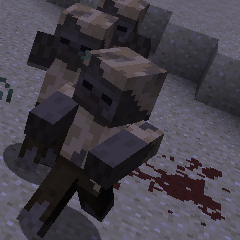
Zombie Awareness Mod Guide: Smarter Mobs, Blood Scent & Survival Tactics
Zombie Awareness transforms hostile mobs into intelligent hunters that track you by blood scent, sound, and light. Zombies, Skeletons, Witches, and Spiders gain the ability to investigate noises, follow blood trails, and spot exposed light sources from enormous distances. This mod makes nighttime and caving genuinely dangerous.
Overview
Zombie Awareness overhauls hostile mob AI to make survival significantly more challenging. Instead of vanilla Minecraft's simple aggro radius, mobs now track players through three distinct sense systems: blood scent, sound sources, and light awareness. When you take damage, you leave a blood trail. When you mine blocks or open Chests, you create noise. When you place Torches in the open at night, nearby Zombies can spot the light from far away and come to investigate.
By default, the mod enhances Zombies, Skeletons, Witches, and Spiders with these new AI behaviors. Other hostile mobs from vanilla or other mods can be enabled through configuration. The mod also adds optional features like wandering hordes, extra surface and cave spawning, and random speed boosts for Zombies. It requires CoroUtil as a dependency.
Getting Started
- 1
Install the Dependency
Zombie Awareness requires CoroUtil to function. Make sure both mods are installed in your mods folder before launching the game. Without CoroUtil, the mod will not load.
- 2
Understand the Three Senses
Mobs now detect you through blood scent (when you take damage or bleed at low health), sound (mining, placing blocks, opening containers, explosions), and light (exposed Torches and light sources at night). Each sense creates an invisible entity in the world that attracts nearby enhanced mobs.
- 3
Adjust Your Playstyle at Night
Avoid mining on the surface after dark. Every block you break generates a sound source with a strength of 60 that nearby mobs can track. If you must mine at night, do it deep underground where surface mobs cannot pathfind to you.
- 4
Manage Your Light Sources
Zombies scan for light levels above 4 in a wide area around players and will path toward any exposed light source they have line of sight to. During the night, keep Torches inside enclosed structures. An open field lit by Torches is essentially a beacon drawing in every Zombie in the area.
- 5
Check the Configuration
Browse the config files in config/ZombieAwareness/ to tune the experience. You can disable individual sense systems, adjust detection ranges, or enable optional features like wandering hordes and extra spawning. The mod is highly configurable to match your preferred difficulty level.
The Three Sense Systems
Blood Scent
Whenever you take damage, a blood scent source spawns at your location with a base strength of 60 (configurable via scentStrength). If your health drops below 60% of your maximum, you also passively bleed every 30 seconds, creating additional scent sources even if nothing is actively hitting you. These scent entities persist in the world for 600 ticks (30 seconds) and gradually fade over time. Their effective detection range scales with strength: a strength-60 scent at full age creates a detection radius of about 38 blocks (calculated as strength/100 multiplied by the 64-block max pathfinding range).
If a scent source already exists near you (within a configurable cutoff range, default 1 block), repeated damage buffs the existing source rather than spawning a new one. Rapid damage within 1000 milliseconds applies a stacking 10% multiplier, meaning sustained combat dramatically increases your scent signature. The maximum scent strength is capped at 300.
Below 60% health, you passively bleed every 30 seconds. This means fleeing a fight at low HP actually makes things worse because you keep generating new blood scent trails. Eat food and heal up as quickly as possible after taking damage.
Sound Sources
The sound system monitors in-game sound events and converts certain ones into trackable sense sources. Mining blocks is the most common trigger, with a 1-in-20 chance per block break tick and a 1-in-3 chance on harvest to create a sound source. The base strength for sound sources is 60 (configurable via soundStrength). Different actions have different sound multipliers that amplify or reduce the base strength.
Explosions are the loudest events with a 3.0x multiplier and 128-block detection range. Pistons produce sound at 2.0x strength with a 128-block range (when enabled). Doors, Gates, Buttons, Levers, and Pressure Plates trigger at 1.3x within 30 blocks. Placing blocks generates 1.3x sound. Eating (player burp sound) creates 1.1x noise, and Note Blocks are detected at 1.3x up to 64 blocks away. Playing Music Discs in a Jukebox creates an extremely powerful sound source with a fixed strength of 300, the maximum allowed value.
Zombie groaning also attracts other Zombies when the Noisy Zombies feature is enabled (on by default), creating 0.8x sound sources at a 48-block range. This means a single Zombie spotting you can call in reinforcements over time.
Light Awareness
During nighttime, Zombies (and optionally other mobs) actively scan for light sources near players. The system checks random positions in progressively larger rings around the closest player (32, 64, 96, and 128 blocks out) and looks for any block with a light level above 4. If a Zombie has line of sight to that light source, or is more than 64 blocks away (with a 1-in-20 chance to bypass the line-of-sight check), it will pathfind toward it.
By default, only Zombies respond to light sources (awareness_Light_OnlyZombies is true). You can change this in the config to make all enhanced mobs light-aware. Light awareness only activates at night, so your Torch placement during the day is safe.
Light awareness requires line of sight. Torches placed underground behind solid blocks cannot be seen by surface mobs. The danger comes from exposed light sources on the surface at night, like Torches on open terrain or the outside of your base.
Enhanced Mobs
By default, four mob types receive the enhanced AI: Zombies, Skeletons, Witches, and Spiders. These mobs gain the ability to track sense sources (blood, sound, light) and pathfind toward them from much greater distances than vanilla. The mod also gives extra-spawned Zombies a random speed boost of up to 30% faster than normal (configurable via zombieRandSpeedBoost, default 0.3), making some Zombies noticeably quicker than you might expect.
The enhanced sight range defaults to 16 blocks on top of vanilla's own detection, and the maximum pathfinding range for tracking senses is 64 blocks. Any mob that extends EntityMob or implements IMob can be enabled in the config file located at config/ZombieAwareness/MobLists.cfg. This means mobs from other mods can also receive the enhanced AI, though results vary depending on how those mods implement their mob pathfinding.
Audio Cues
Zombie Awareness adds three custom sound effects that provide critical audio feedback during gameplay. When an enhanced mob first targets you, it plays an alert sound (or an alternate alert sound if soundUseAlternateAlertNoise is enabled in the config). This is your warning that something has spotted you. The target sound plays at the player's position so you always hear it, with a default volume of 0.5. When a mob is investigating a sense source near you (within 6 blocks of your position), you hear a distinct investigate sound at 0.5 volume, alerting you that something is approaching even if you cannot see it yet.
Both alert and investigate sounds have a 60-second cooldown per mob (1200 ticks), preventing audio spam. You can adjust their volumes independently through the soundVolumeAlertTarget and soundVolumeInvestigate config options, or disable them entirely by setting soundAlerts and soundInvestigates to false.
Optional Features
Wandering Hordes
Disabled by default, wandering hordes cause enhanced mobs to group up and roam the surface together. When enabled, each player has a 1-in-100 chance per tick to spawn a waypoint within 256 blocks. This waypoint acts as a sense source that draws nearby mobs to a random location, causing them to cluster and migrate across the terrain. Spider Jockeys (Spiders with Skeleton riders) can also spawn their own waypoints when this feature is active. The result is packs of mobs wandering the landscape, creating dangerous encounter zones.
Extra Surface Spawning
Also disabled by default, this feature spawns additional Zombies on the surface at night. Spawning only occurs when the light level is below 6, the location is between 50 and 100 blocks from the nearest player, and the total surface mob count is below the configurable maximum of 50. Mobs spawn in groups of up to 3 and receive the random speed boost. You can change this to use the biome's natural spawn list instead of just Zombies by enabling extraSpawningUseNaturalSpawnList, which could include hostile mobs from other mods.
Extra Cave Spawning
Disabled by default, this spawns additional mobs in caves where existing Zombies are present. It checks for dark cave locations (light level below 5, underground, on Stone) within 50 to 100 blocks of the player. Cave groups can be up to 5 mobs and the system makes 15 attempts per tick to find valid spawn locations. Combined with sound awareness from mining, this makes caving considerably more intense.
The daysBeforeFeaturesActivate config option (default 0) lets you delay all Zombie Awareness features until a certain number of in-game days have passed. Setting this to 3 or 5 gives new worlds a grace period where mobs behave normally, letting you establish a base before the enhanced AI kicks in.
Sound Source Reference
Not all in-game sounds attract mobs. The mod specifically filters which sounds generate trackable sources. The following table shows the key sound triggers, their strength multipliers relative to the base sound strength, and the maximum range at which they can be picked up.
Sound Source Strength Comparison
| Explosions | Pistons | Doors / Buttons / Levers | Placing Blocks | Note Blocks | Zombie Groans | |
|---|---|---|---|---|---|---|
| Multiplier | 3.0x | 2.0x | 1.3x | 1.3x | 1.3x | 0.8x |
| Detection Range | 128 blocks | 128 blocks | 30 blocks | 3 blocks | 64 blocks | 48 blocks |
| Default | Enabled | Enabled | Enabled | Enabled | Enabled | Enabled |
Configuration Guide
Zombie Awareness generates six configuration files in the config/ZombieAwareness/ directory. The most important settings to understand are spread across the General and Features configs.
General Settings
The maxPFRangeSense value (default 64) controls the maximum distance mobs can pathfind toward sense sources. The scentStrength and soundStrength values (both default 60) set the base strength for their respective sense types. Higher values mean mobs detect you from further away. The senseMaxStrength cap (default 300) prevents any single sense source from becoming infinitely powerful through repeated buffing.
The sightRange setting (default 16) adds extra sight range on top of vanilla targeting. Setting omniscient to true makes mobs always target the closest player from 512 blocks away, which is extremely challenging but performance-heavy. The seeThroughWalls option skips line-of-sight checks for targeting.
Feature Toggles
Each sense system can be independently toggled: awareness_Sound, awareness_Scent, and awareness_Light are all true by default. The optional spawning features (wanderingHordes, extraSpawningSurface, extraSpawningCave) are all false by default. The mod also overrides Forge's zombieSummonHelpBaseChance to 0.0 (vanilla Forge default is 0.1) and zombieBabyChance to 0.0 (vanilla Forge default is 0.05). Set these to -1 to restore Forge's defaults.
Spawning Settings
If you enable extra spawning, the Spawning config controls the details. Surface spawning caps at 50 mobs (extraSpawningSurfaceMaxCount), spawns groups of up to 3, and requires mobs to be 50-100 blocks from the nearest player. Cave spawning also caps at 50 mobs but allows groups of up to 5 and makes 15 spawn attempts per tick. The maxZombiesNight value (default 50) limits how many Zombies can exist in loaded chunks before the mod stops duplicating them at existing Zombie locations.
Key Default Values
| Max Pathfinding Range | 64 blocks |
| Blood Scent Strength | 60 |
| Sound Strength | 60 |
| Max Sense Strength | 300 |
| Extra Sight Range | 16 blocks |
| Bleeding Threshold | 60% HP |
| Bleed Interval | 30 seconds |
| Sense Duration | 30 seconds (600 ticks) |
| Speed Boost Range | 0-30% |
| AI Tick Rate | Every 5 ticks |
The /za Command
Server operators (permission level 2+) have access to the /za command for runtime diagnostics and config changes. Use /za get counts to see how many enhanced mobs are active on the surface and in caves. Use /za get time to check how long since the last Zombie Awareness spawn event. You can modify config values at runtime with /za set <option> <value> and check current values with /za get <option>. The /za isActive command tells you whether the mod's features are currently active (useful if you have set a daysBeforeFeaturesActivate delay). The /za profile command runs a 10-second performance profile showing which entity classes are being processed and how many of each.
Survival Strategies
The most effective defense against Zombie Awareness is controlling what information you give away. Enclose your base fully in walls and a roof before nightfall, keeping all light sources inside. When caving, bring plenty of food to keep your health above 60% and avoid triggering the passive bleeding mechanic. Mine in short bursts rather than long continuous sessions to limit how many sound sources you generate.
Avoid Redstone contraptions using Pistons near areas where you spend time at night, since each Piston activation creates a powerful sound source at 2.0x strength detectable from 128 blocks. If you need to use Piston-based farms, build them far from your living quarters or disable the noisyPistons config option. When traveling at night, avoid placing Torches on the surface. If you must light your path, use enclosed structures or recessed lighting that blocks line of sight from ground level.
Frequently Asked Questions
Does Zombie Awareness work in the Nether?
By default, the mod only processes sound events and spawning in dimension 0 (the Overworld) and dimension -127. The Nether (dimension -1) and the End (dimension 1) are not affected by sound or spawning features, though the scent and AI targeting systems operate in all dimensions.
Can I add mobs from other mods to the enhanced AI?
Yes. The config file at config/ZombieAwareness/MobLists.cfg auto-generates entries for every registered entity that extends EntityMob or implements IMob. By default only Zombies, Skeletons, Witches, and Spiders are enabled, but you can toggle any hostile mob on. Results depend on how that mob's pathfinding is implemented.
Why are Zombies coming to my base even though I'm not making noise?
Check your exterior lighting. Zombies can detect any light level above 4 through line of sight and will path toward it. Torches on the outside walls of your base or on open terrain act as beacons. Enclose all light sources behind solid walls or inside covered structures.
Do blood scent trails ever go away?
Yes. Scent entities have a maximum age of 600 ticks (30 seconds). Their effective detection range decreases linearly as they age, so a sense source is strongest when first created and fades to zero at the 30-second mark. However, taking additional damage near an existing scent source refreshes and strengthens it.
Is there a performance impact from this mod?
The mod processes enhanced mob AI every 5 ticks (tickRateAILoop) and player logic every tick (tickRatePlayerLoop). Increasing these values reduces CPU load but makes mobs less responsive. The omniscient and seeThroughWalls options are marked as performance-sensitive by the developer. Enabling extra spawning adds more entities to process. Use /za profile to see how many entities are being ticked.
Can I use Zombie Awareness on a server with only some players affected?
Yes. The PlayerRulesAndLists config allows whitelisting specific players for different features. You can set whiteListUsedSenses, whiteListUsedOmniscient, or whiteListUsedExtraSpawning to true, then specify which player names should be affected in the corresponding whitelist strings. Players not on the lists will experience normal mob behavior.